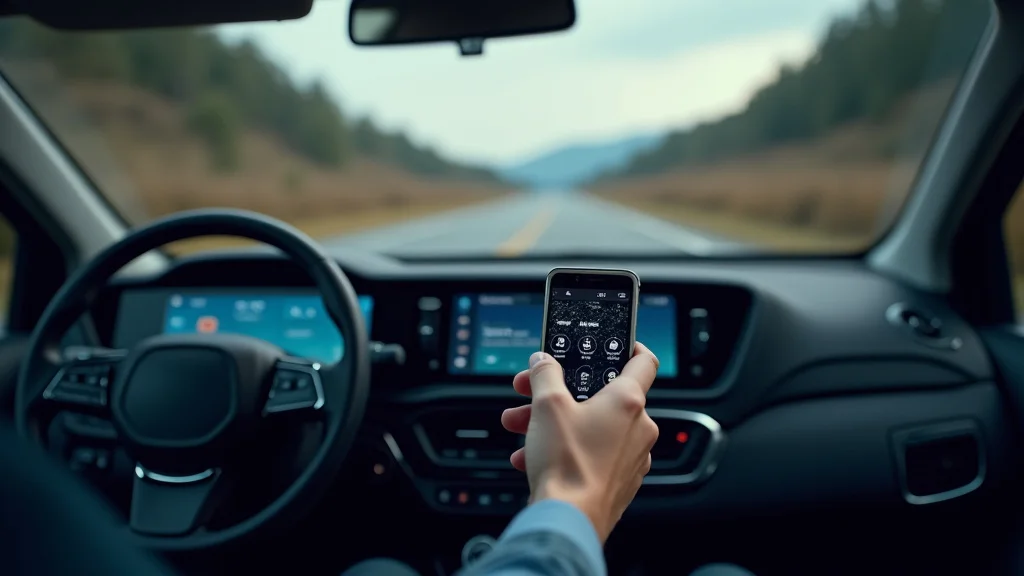
Picture this: you’re miles from civilization, the sun is setting, and you’re not entirely sure where you are. This is where a dependable UTV GPS navigation system becomes your best friend. Instead of relying on unreliable cell service or guesswork, you’ll have precise location data and detailed maps right at your fingertips. This post will explore the ins and outs of UTV GPS navigation systems, providing valuable insights to help you choose the right system and use it effectively. You’ll gain a firm grasp of the benefits, features, and crucial considerations to ensure a confident and secure off-road experience. By reading, you will enhance your trail adventures, reduce worries, and enhance your outdoor experiences.
Key Takeaways
- Learn the fundamental components that form the core of a UTV GPS navigation system.
- Discover the various types of maps and data available for off-road use.
- Understand the unique features and advantages offered by UTV-specific GPS units.
- Explore the essential factors to consider when purchasing a UTV GPS navigation system.
- Gain valuable tips on how to effectively use and maintain your GPS unit.
- Find out how to maximize the system’s potential for safety and exploration.
Understanding UTV GPS Navigation Systems
A UTV GPS navigation system is a specialized electronic device that uses a Global Positioning System (GPS) receiver to pinpoint its exact location on Earth. Unlike standard GPS units designed for vehicles, these systems are constructed to withstand the tough conditions common during off-road adventures. They’re built for dust, vibration, and impacts, with features designed for easy use while driving. The core function is to provide the user with their current position, course, and other navigation data. These systems enhance safety and can improve enjoyment in the wilderness.
Core Components of a UTV GPS Unit
The core parts of a UTV GPS navigation system work together to provide accurate position data. The primary component is the GPS receiver, which is a small computer that receives signals from a network of satellites orbiting the Earth. These satellites broadcast signals containing their location and the time, allowing the receiver to determine its own position. This position is then processed and displayed on the system’s screen, often with a visual map. Other essential parts include an antenna, a screen for display, buttons or a touch screen for control, and a rugged housing designed to handle rough terrain and changing weather conditions. The receiver continuously updates its position, giving the driver real-time information about their location and direction.
Here’s a breakdown of the critical parts:
- GPS Receiver: The brain of the system, this component receives signals from GPS satellites to calculate your location. It works by measuring the time it takes for signals to reach the receiver from at least four satellites. The more satellites it can “see,” the more precise the location will be. High-end receivers often use multiple frequencies to increase accuracy. The receiver is also capable of storing waypoints and tracks to keep a record of your journey.
- Antenna: This component is crucial for receiving satellite signals. Different types of antennas exist, including external ones for the best signal strength. A high-quality antenna is essential to obtain a clear, strong signal, particularly in areas with obstructions like dense trees or canyons. It is positioned to gain the best view of the sky.
- Display Screen: This screen shows maps, your current position, and other navigation data. The best displays are bright and easy to see in direct sunlight, with features like touchscreen controls for ease of use. Screen size varies, and it’s important to select one that’s easily readable while driving, allowing you to see maps and data at a quick glance.
- Control Interface: This can be buttons, a touchscreen, or a combination. The interface should be simple and easy to use while wearing gloves. The ability to quickly and easily input waypoints, adjust map views, and change settings is crucial for a safe and intuitive experience.
- Housing: UTV GPS units need to be tough. The housing is typically made of durable, impact-resistant materials designed to protect the internal parts from dust, water, and vibration. The unit is often sealed to withstand rain, mud, and other environmental conditions.
How GPS Works
GPS, or Global Positioning System, is a satellite-based radio-navigation system owned by the U.S. government. At its core, GPS uses a network of satellites orbiting the Earth to provide location information. These satellites broadcast radio signals that contain data about their location and the time the signal was sent. Your GPS receiver on your UTV GPS navigation system picks up these signals and uses them to calculate its position. This is achieved by measuring the time it takes for the signals to reach your receiver from at least four different satellites. Using this time information, along with the known positions of the satellites, the receiver determines your distance from each satellite. These distance measurements are then used to calculate your latitude, longitude, and altitude. This data can also be used to track your speed and heading.
Think of it like this: Imagine you’re trying to find your location based on knowing the distances to several landmarks. Each satellite is like a landmark in space, and the receiver is your position. The more landmarks (satellites) you have to measure from, the more accurately you can find your location. The receiver needs signals from at least four satellites to determine its three-dimensional location (latitude, longitude, and altitude). It is vital for both safety and enjoyment.
To better grasp this principle, consider this scenario:
- The satellites in orbit send a signal that includes their location and when the signal was transmitted.
- Your UTV GPS navigation system receives these signals.
- The system determines how long it took each signal to travel from the satellite.
- By measuring how long it takes the signal to travel from the satellite, the system calculates the distance from each satellite.
- The system then uses these distance measurements to pinpoint your location on Earth.
Types of Maps and Data
The maps used in UTV GPS navigation systems play an important role in how useful they are. They come in several varieties, each offering different levels of detail and features. Some systems use base maps, which are the basic map data showing roads, trails, and geographic features. More advanced systems can use topographic maps, which include elevation contours to show the height of the terrain. The best systems can use a combination of these maps for off-road adventures.
- Base Maps: Base maps provide fundamental geographic data, including roads, trails, rivers, lakes, and sometimes even points of interest. These maps give a good general picture of the area. They’re often included with the GPS unit.
- Topographic Maps: Topographic maps are a better option for off-road use. They show elevation contours, allowing you to easily see the ups and downs of the terrain. Contour lines indicate the height of the land above sea level. This information is key for planning a safe route and understanding the difficulty of a trail. These maps are invaluable when you are off-roading.
- Satellite Imagery: Satellite imagery provides a detailed, real-world view of the area, like looking down from above. You can see the actual terrain, including trees, rocks, and other features. This provides a great picture of the area and improves situational awareness.
- Vector Maps: Vector maps store data as points, lines, and polygons, making them scalable. You can zoom in and out without losing detail. They also allow for the easy addition of custom data such as waypoints and routes. These maps provide flexibility.
- Raster Maps: Raster maps are made up of pixels and work like a photograph. While they can be very detailed, they can lose clarity when you zoom in. They are often used for satellite imagery or scanned maps.
Choosing the Right UTV GPS Navigation System
Selecting the right UTV GPS navigation system is key to a positive experience. You should assess your needs and the type of trails you usually ride. Consider the screen size, the ruggedness of the unit, and the user interface. Think about the specific maps and the system’s data capacity. Evaluate battery life and ease of mounting the GPS in your UTV. It’s also important to consider the cost and what extra features are included.
Features to Consider
Certain features can significantly enhance the usefulness and usability of your UTV GPS navigation system. Features such as a sunlight-readable screen are essential. You should consider the screen brightness and clarity, particularly in direct sunlight. A touchscreen or easy-to-use buttons are helpful. Another key factor is the IP (Ingress Protection) rating, which indicates the unit’s resistance to water and dust.
- Screen Size and Resolution: A larger screen is easier to read while driving. The resolution determines how clear the maps and data will appear. A high-resolution screen will show more details. This provides better visuals, which is vital for navigation.
- Ruggedness and Durability: The unit should be built to withstand the bumps, vibrations, and weather conditions of off-road driving. Look for a unit with a high IP rating (e.g., IP67 or higher) to ensure it is dustproof and waterproof. This is important to ensure your system works in tough environments.
- Battery Life: The GPS system should provide a long battery life to last through your rides. If you plan to go on extended trips, consider a unit that can be connected to your UTV’s power supply. Long battery life will provide a worry-free experience.
- Ease of Mounting: The unit should have a secure and easy-to-install mounting system. Consider the type of mount. This ensures the unit remains in place.
- User Interface: The user interface should be simple and intuitive. You should be able to quickly access and change settings. Simple designs will assist with ease of use.
Factors Affecting System Price
The price of a UTV GPS navigation system varies widely depending on its features, brand, and build quality. More complex systems with advanced mapping capabilities, high-resolution screens, and rugged designs tend to be more expensive. The brand can also affect the price, as well as the included software, pre-loaded maps, and any included accessories. Consider your budget and the features you need. This will help you find the system that fits your requirements.
Here’s a simplified breakdown:
| Factor | Impact on Price |
|---|---|
| Screen Size and Resolution | Larger screens and higher resolutions increase cost. |
| Durability (IP Rating) | Higher IP ratings (more protection) add cost. |
| Mapping Capabilities | Advanced mapping features add to the price. |
| Brand Reputation | Established brands may have higher prices. |
| Extra Features | Additional features like Wi-Fi or Bluetooth increase the cost. |
Compatibility
Ensure that the UTV GPS navigation system is compatible with your UTV. Make sure that the system can be mounted securely in your UTV. Check if the power requirements match your UTV’s electrical system. This will avoid problems during installation. Also, check to make sure the unit’s features align with your style of riding and navigation needs.
Using and Maintaining Your UTV GPS
Knowing how to use and maintain your UTV GPS navigation system is crucial for ensuring it functions correctly and lasts a long time. This is especially true if you ride regularly on rough terrain. Keeping it clean, updating maps, and understanding basic troubleshooting techniques will make your off-road adventures safer and more enjoyable.
Basic Operation Tips
Getting familiar with your UTV GPS navigation system will help you use it efficiently. You should start by understanding the user interface. Learn how to zoom and pan on the map, input waypoints, and create routes. Ensure the GPS signal is working correctly before starting your ride. Familiarize yourself with how to set up the system to record your tracks. Take some time before heading out to practice. This will help you get the most from your system.
- Powering On and Acquiring Signal: Turn on your GPS unit and allow it to acquire a GPS signal before you begin your ride. The time it takes to lock onto satellites can vary depending on the unit and the location. Wait until the unit indicates a strong signal before proceeding.
- Understanding the Map Display: Familiarize yourself with the map features, including the different map layers, zoom levels, and orientation options. Learn how to quickly switch between views. You will have more awareness of your surroundings.
- Inputting Waypoints and Routes: Learn how to add waypoints, which are specific locations you want to mark on the map. You can also create routes, which are planned paths between waypoints. This capability makes planning your trip easy.
- Using the Tracklog Feature: Use the tracklog feature to record your route as you ride. This enables you to retrace your path or share your adventures with others. The tracklog is a valuable way to review your trip later.
Maintenance and Care
Regular maintenance is essential to extend the life of your UTV GPS navigation system. You should keep the unit clean, especially in dusty or muddy conditions. Periodically clean the screen to keep it clear. Always ensure the unit is secure during storage. Check the battery connections. Keeping up with these practices will ensure optimal performance. Keep the unit away from extreme temperatures and moisture.
- Cleaning: Clean the unit regularly with a soft cloth to remove dust, dirt, and mud. Avoid using harsh chemicals or abrasive cleaners. The screen needs to remain clear for easy viewing.
- Map Updates: Keep your maps up-to-date by downloading and installing the latest versions available from the manufacturer. Updated maps often include improved trail data and added points of interest. Fresh maps improve accuracy.
- Battery Care: If your unit uses batteries, always use the correct type and replace them when necessary. For units that connect directly to your UTV’s power, make sure the connections are secure. Regular battery care protects your system.
- Storage: When not in use, store your GPS unit in a safe, dry place away from direct sunlight and extreme temperatures. Storing it carefully ensures longevity.
Troubleshooting Common Issues
Even the best UTV GPS navigation system can experience issues. Understanding how to troubleshoot basic problems can save you time and frustration. If you are not getting a GPS signal, move to an area with a clear view of the sky. If the display is not working, check the power connections. Learn how to reset your unit. The ability to troubleshoot will get you back on track quickly.
- No GPS Signal: If the unit is not receiving a signal, check for obstructions like trees or buildings. Make sure the antenna is properly connected. Try moving to an open area.
- Display Problems: If the screen is not working, check the power connections and the unit’s settings. Adjust the screen brightness. A clear screen ensures that data can be read.
- Freezing or Crashing: Reset the unit or restart it. If the problem continues, there might be a software issue. Check for firmware updates from the manufacturer. Updated software will improve stability.
- Map Issues: If maps are incorrect, make sure you have the correct map data loaded. Ensure the maps are the right format. Try updating or reinstalling the maps. The proper maps are essential for accurate guidance.
Common Myths Debunked
There are some false ideas about UTV GPS navigation systems. People may believe that a high price always means a better system, or that any GPS unit will work well off-road. You should separate the truth from these misconceptions.
Myth 1: Any GPS unit will work for UTV use.
This is not true. While a standard GPS unit might provide basic location information, it is unlikely to withstand the rigors of off-road use. Standard units are often not built for dust, water, and vibration. UTV GPS navigation systems are designed to survive rough environments. They are made to withstand the specific challenges of off-road use. These rugged features are key to functionality.
Myth 2: More expensive systems are always better.
A higher price does not always equate to a better fit for your needs. Expensive systems may offer advanced features. If you are a casual rider, you may not need these added features. A basic system may be sufficient. The best system is the one that meets your specific needs. Look at the features, screen size, and mapping capabilities that best fit your use.
Myth 3: You don’t need maps; the GPS will tell you everything.
While a UTV GPS navigation system provides valuable location data, maps are crucial. Maps offer a visual representation of your surroundings, allowing you to see trails, elevation, and potential hazards. Without maps, your GPS is just a position tracker. Maps greatly enhance the effectiveness of your system.
Myth 4: GPS signals work everywhere.
GPS signals can be unreliable in areas with obstructions, like dense forests or deep canyons. While GPS is highly accurate in open areas, signals can be blocked or weakened. In certain environments, there may be temporary signal loss. Be aware of your surroundings, and use a map. Having a backup plan, like a paper map or compass, can be useful.
Myth 5: You don’t need to learn how to use the GPS; it’s intuitive.
While many UTV GPS navigation systems are designed to be user-friendly, it’s beneficial to explore the features. You must become familiar with the user interface. It is important to know how to input waypoints, create routes, and interpret the data on the screen. Knowing the system will help you utilize its features. This understanding enhances safety and efficiency during your rides.
Frequently Asked Questions
Question: What is the most important feature to look for in a UTV GPS navigation system?
Answer: Ruggedness and durability are crucial. It’s built to withstand the bumps, vibrations, and weather. This ensures reliability in tough conditions.
Question: Can I use my smartphone as a UTV GPS navigation system?
Answer: While you can use a smartphone, a dedicated UTV GPS is better. Smartphones may not be as rugged, and you may encounter battery life issues in the field.
Question: How often do I need to update the maps on my UTV GPS navigation system?
Answer: It’s best to update your maps at least once a year. This keeps your trails and points of interest current. Check the manufacturer’s site for updates.
Question: What type of maps are best for off-road use with a UTV GPS navigation system?
Answer: Topographic maps are excellent for off-road use. Topo maps show the terrain and elevation contours to assist in safety and route planning.
Question: How can I improve GPS signal reception in challenging terrain?
Answer: Try using an external antenna. Go to a high or open location. The antenna will improve the signal. Sometimes, a satellite may have a weak signal, and moving can improve the signal.
Final Thoughts
A UTV GPS navigation system is a valuable tool for any off-road enthusiast. It enhances safety and elevates the overall adventure. Choosing the right system involves careful consideration of the features. This includes screen size, ruggedness, and mapping capabilities. Understanding how the system works is key to making the best use of it. You should ensure it’s compatible with your UTV and that you’re familiar with its operation. With the right UTV GPS navigation system, you can explore trails with confidence. Remember to always practice responsible off-road riding, respect the environment, and be prepared for potential challenges. So, gear up, plan your adventure, and explore the outdoors.