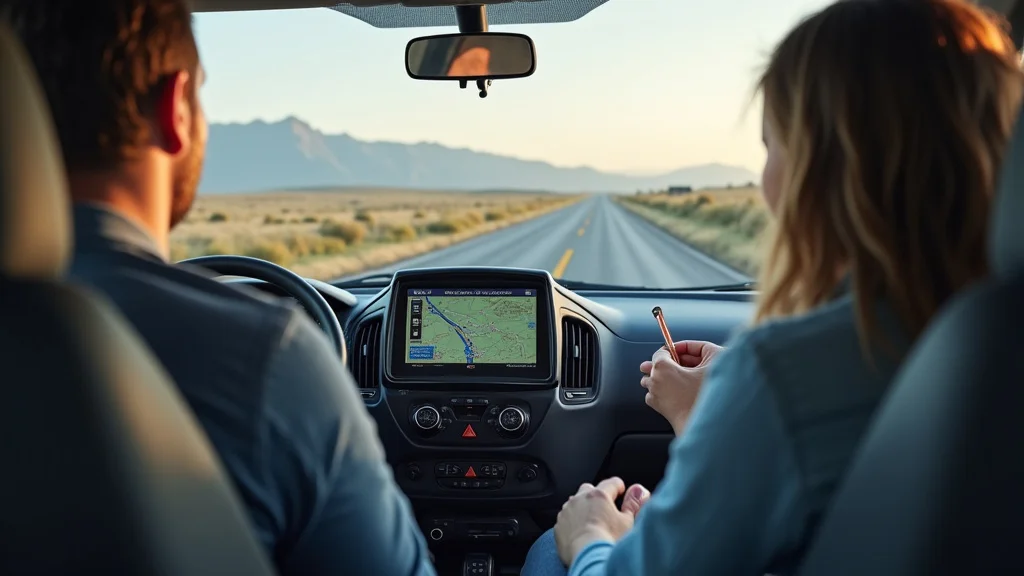
Picture this: You’re cruising down a scenic highway in your RV, windows down, the open road beckoning. Suddenly, you realize you’ve missed your turn! This scenario is a common headache for RV enthusiasts. But what if you had a reliable tool to keep you on the right path? This post explores everything you need to know about RV GPS navigation, transforming your travel experience from stressful to serene. You’ll learn how to pick the right system, understand the special features needed for your RV, and discover how to avoid common travel pitfalls. By the end, you’ll be well-equipped to use RV GPS navigation effectively, making your travels safer, easier, and more enjoyable.
Key Takeaways
- Discover the essential features to look for in an RV GPS.
- Learn how RV-specific GPS systems differ from standard GPS devices.
- Explore how to select the right RV GPS for your vehicle and travel style.
- Uncover how to avoid common travel issues, like low bridges and weight restrictions.
- Understand how to update your GPS and keep its maps current.
- Gain insights on integrating your GPS with other tools for a better road trip.
The Importance of RV-Specific GPS Systems
Standard GPS devices, while useful for everyday driving, often fall short when it comes to RV travel. RVs are significantly larger and heavier than typical vehicles. This means they face different restrictions and require special considerations. Standard GPS devices usually don’t take into account factors such as the height and weight of your RV, which can lead to problems. They might direct you down roads with low clearances or onto routes that are not suitable for large vehicles. A dedicated RV GPS navigation system is engineered with these needs in mind.
This is where an RV-specific system comes into play. These systems are programmed with RV dimensions and weight information. The system then calculates routes that avoid low bridges, weight limits, and other hazards. RV-specific GPS systems are more than just a convenience. They are an essential safety tool, helping you avoid costly accidents and frustrating detours. Furthermore, they enhance the overall enjoyment of your travels, allowing you to focus on the journey and the sights instead of the stress of finding the right roads.
Essential Features for RV GPS Navigation
When picking an RV GPS, several features are especially helpful for a smooth trip. These features set RV GPS systems apart, providing tools that standard GPS units usually lack. It’s smart to consider these features carefully to ensure your RV travels are safe and simple.
- RV-Specific Routing: The core feature is RV GPS navigation tailored to your vehicle’s size and weight. This means the device considers height, width, length, and even the weight of your RV to avoid roads with restricted access. The system can provide directions that avoid low bridges, narrow lanes, and weight-restricted roads.
- Custom Vehicle Profile: A good RV GPS lets you input your RV’s exact measurements and weight. This provides the most precise routing possible. Inputting your RV’s specific data allows the device to create custom routes avoiding obstacles.
- Points of Interest (POIs) for RVs: These systems include a database of RV-friendly locations. They show campgrounds, RV parks, service centers, and other spots that cater to RV travelers. RV POIs are important because they are specially curated for RV needs.
- Lane Guidance and Junction View: These features show you precisely where to be in a lane to make turns and navigate complex intersections. Advanced lane guidance gives you clear visual instructions, helping you prepare for maneuvers in advance. Junction View provides a detailed display of upcoming intersections.
- Real-Time Traffic Updates: These updates help you avoid congestion and delays. This feature uses data from various sources to show traffic conditions. This way, you can pick faster routes. Real-time updates help in managing your time.
This is a critical function, as ignoring these restrictions can lead to damage to your RV or even dangerous situations. Imagine trying to maneuver a large RV under a low bridge or down a narrow street. RV-specific routing prevents these problems by calculating routes that are safe and appropriate for your vehicle’s specifications. Ensure the device you choose has this feature to protect your investment and simplify your travels.
You’ll enter information like the RV’s height, width, length, and weight. Some advanced systems also let you specify the type of fuel your RV uses, to show fuel stops along your route. This level of personalization ensures the navigation system considers every relevant factor when mapping your journey, keeping you safe.
The POI database is often updated with information about the amenities and accessibility. For example, the system might indicate whether a campground has full hookups, dump stations, or pet-friendly areas. This feature helps you discover and easily locate the places you want or need to visit, removing the stress of finding facilities.
These features are designed to reduce confusion at busy intersections. Junction View often displays a realistic image of the upcoming intersection. These visual cues are especially helpful for RV drivers who need extra time to maneuver their large vehicles. By providing clarity, the navigation system reduces stress and increases safety on the road.
By providing up-to-the-minute information on traffic, the system can suggest alternative routes. If a traffic jam appears, the RV GPS navigation may automatically recalculate the route to avoid delays. This helps you save time and prevent you from getting stuck in traffic.
Choosing the Best RV GPS for Your Needs
Selecting the right RV GPS navigation system involves several considerations. You’ll have to decide what’s important for your RV trips. Consider your budget, the features you need, and how you typically travel. Each option has its benefits. Picking the right device can make a big difference in the enjoyment of your travels.
Think about the types of trips you usually take and the features that will be most valuable. Do you like long road trips with many stops? Or do you prefer weekend getaways to local campgrounds? Your travel habits will affect your choice. Also, remember that a good GPS is only one part of the equation. Combine your GPS with careful trip planning. That way, you’ll be well-prepared for any adventure.
Budget and Features: Balancing Cost With Functionality
RV GPS units vary significantly in price, ranging from a few hundred to several hundred dollars. The price usually reflects the features available. Deciding on your budget is a key step. Think about what features are essential and which are optional. It is smart to choose a system that matches both your needs and your budget. Choosing your options can help you get the best value.
- Entry-Level Models: These are usually the most affordable. They generally offer basic RV-specific routing, custom RV profiles, and preloaded maps. Some may include real-time traffic updates. Entry-level models are a good choice if you are on a budget and only need essential features.
- Mid-Range Models: These units provide more features, like larger screens, more detailed maps, and better real-time traffic data. They may also include additional POIs and integrated Wi-Fi for easier updates. Mid-range models are a great option for people who want extra features without spending a lot.
- High-End Models: Premium GPS units have the most advanced features. These include large, high-resolution screens, voice activation, and integrated dashcams. These models also may offer features like driver fatigue warnings and integration with other vehicle systems. They are best for experienced RV travelers who want the best technology.
These devices usually provide the core functions for safe RV travel. They’re a great starting point if you’re new to RV GPS or you take shorter, less frequent trips. While they might lack some advanced features, they will still make a huge difference compared to standard GPS units.
You can expect improved performance and a more complete travel experience. They often come with better displays, making it easier to see directions and maps while driving. These models balance functionality with value.
These top-tier systems offer the most comprehensive and seamless travel experience. If you use your RV often and want the most advanced features, this class of GPS is for you. Be prepared to spend more, but the added features and convenience may make it worth the investment.
Screen Size and Display Clarity
The screen size and clarity are important factors, especially for RVs. You’ll want a display that is easy to see while you drive. A larger screen makes it easier to view maps, directions, and other information, and reduces the chance of eyestrain. Make sure the screen is easy to read in different lighting conditions.
- Screen Size: Generally, larger screens (5 inches or more) are preferred for RVs. A larger screen reduces the chance of you missing important information. It can make a difference in your ability to easily see and follow directions.
- Display Resolution: A higher resolution provides clearer visuals. Look for devices with high-resolution screens for detailed maps and easy-to-read text.
- Brightness and Anti-Glare: Choose a device with adjustable brightness settings and anti-glare coatings. These features will ensure readability in both direct sunlight and low-light conditions.
Larger screens give you a wider view of the maps and information. This reduces the amount of time you spend looking away from the road. The screen size will help improve your driving experience.
A high-resolution display makes details more visible. Clearer maps and instructions prevent confusion. You’ll be able to see lane guidance and junction views more clearly. High-resolution screens reduce the chance of straining your eyes. They improve the overall user experience.
Glare and brightness are important factors in visibility. Adjustable brightness settings let you adjust the screen to match the lighting in your RV. An anti-glare screen is important for reducing reflections. This helps to reduce eye strain and ensures you can always see the screen easily.
Map Updates and Connectivity
The accuracy and reliability of your RV GPS rely on regular map updates. Technology and road networks change, and so your GPS must change with them. Look for devices that provide regular map updates and offer convenient connectivity options. A GPS is only as good as its maps. Keep them updated to ensure the best routing possible.
- Map Update Frequency: Look for devices that provide frequent map updates. Most brands offer map updates every few months. Some offer quarterly or even more frequent updates.
- Update Methods: Different devices use various methods for updating maps. Some systems use Wi-Fi, allowing you to download updates easily. Others require a computer connection, usually through a USB cable. Consider the method that will work best for your lifestyle.
- Connectivity Features: Some units also offer Bluetooth connectivity. This lets you connect the device to your smartphone. With this, you can receive real-time traffic updates and other connected services.
Frequent updates mean you’ll have the latest road information. Updated maps include the newest road construction and traffic changes. Choose a device that provides updates at least twice a year to ensure your maps are current.
Wi-Fi updates are often the easiest and most convenient option. You can download updates directly to the device. Devices that use a computer connection may require more time and effort. Pick the method that best suits your technical skills and the availability of internet access.
Bluetooth connectivity adds flexibility and convenience to your RV GPS navigation system. It allows you to integrate your GPS with other devices and services. Real-time updates improve navigation. The availability of other connected services can enhance your travel experience.
Avoiding Common RV Travel Problems
One of the top benefits of an RV-specific GPS is avoiding travel issues. RVers frequently face unique challenges, such as low bridges, weight restrictions, and narrow roads. A well-designed RV GPS navigation system is engineered to help you prevent these problems. By using the system effectively, you can keep your trip safe and comfortable.
Consider the details that can affect your travel. Before you leave, check your route. Do some advance research, and learn about the restrictions along your path. This approach helps you avoid issues and enjoy your trip.
Low Bridge Hazards and Height Restrictions
Low bridges pose a significant hazard to RVs. The height of the RV should always be taken into account when planning a route. Even a minor collision can cause major damage. A good RV GPS can automatically reroute you to avoid these dangers.
- Input Your RV’s Height: It is necessary to enter your RV’s height accurately. Most systems have a setting to input your vehicle’s height. The GPS uses this data to avoid routes with low-clearance bridges.
- Pre-Trip Planning: Before you start your trip, review the planned route on your GPS. Make sure the routes provided are safe for your RV. Look for any alerts about upcoming low clearances.
- Be Alert and Vigilant: Even with the best GPS, stay alert. Always check for overhead clearance signs when you approach a bridge or underpass.
Make sure you provide the correct measurement, including the height of any accessories like air conditioners. This is your first line of defense against low bridges. Regular checks and updates of your vehicle profile are also a good idea.
This is a critical step in using your RV GPS. It allows you to catch any potential problems before they arise. By spending a few minutes planning and reviewing your route, you can avoid frustrating detours or, even worse, accidents. Pay attention to any warnings the GPS provides.
Although your GPS will try to prevent problems, it is important to stay alert. Bridges can be mislabeled or have unexpected changes. Always double-check clearance signs. This is good practice for all RV drivers.
Weight Limits and Road Restrictions
RVs often face weight restrictions on certain roads and bridges. A RV GPS navigation system is designed to consider these limits when planning a route. They can direct you around roads that aren’t built for the weight of your RV.
- Input Your RV’s Weight: Enter your RV’s gross vehicle weight (GVW) into the GPS. This allows the system to calculate routes that comply with weight restrictions.
- Understand Road Signage: Learn to identify road signs related to weight limits. Be aware of the locations that may have restrictions.
- Check for Seasonal Restrictions: Some roads have seasonal weight restrictions. Check the local regulations or the GPS for updates.
The GVW includes the weight of the RV plus all the cargo, passengers, and fluids. Be as accurate as possible. This is one of the most important aspects of using your RV GPS. Regularly check and update this setting, especially if you change the load in your RV.
Knowing the meaning of road signs helps you interpret the information provided by your GPS. Familiarize yourself with weight limit signs, which often display the maximum permissible weight. It is wise to familiarize yourself with these signs before you travel.
Seasonal restrictions are put in place during spring thaw. The pavement may be less sturdy. This can impact your planned route. Confirm these restrictions on your travel route. Always comply with the local regulations.
Narrow Roads and Tight Turns
Many RV drivers find themselves in situations where the roads are too narrow or the turns are too tight. These are common issues. Fortunately, an RV-specific GPS can help you avoid these scenarios.
- Use Lane Guidance: Use the lane guidance and junction view features. These provide precise instructions on lane positioning. They are helpful for making turns and navigating intersections.
- Consider Alternate Routes: If your GPS shows a route through narrow roads or tight turns, consider alternatives. Look at the route on the map, and try to find a better one.
- Drive Slowly and Cautiously: When driving on narrow roads, reduce your speed. Give yourself more time and space to react. Stay vigilant and be prepared to take the needed steps.
Lane guidance features are useful when navigating turns. These features use visual cues. This provides advance notice of where you will need to be in the lane. This will make turns smoother and simpler. Junction view is another helpful feature.
Sometimes, the GPS will suggest routes that are not ideal. If you are uncomfortable with the planned route, be ready to find another path. The GPS is a tool. You must maintain control of the drive.
No matter how well you plan, you may find yourself on a narrow road. Reduce your speed, stay calm, and steer clear of any distractions. This will reduce your risk of accidents.
Updating Your RV GPS and Staying Current
The usefulness of your RV GPS navigation depends on its maps and software being up-to-date. Roads and conditions change. Updates are essential to avoid issues. Learn how to keep your system current. Regularly updating your GPS means you’ll always have the newest road data.
Always keep your maps current. Check the manufacturer’s website. Following these steps helps guarantee that your GPS provides the best navigation possible.
Regular Map Updates
- Check for Updates Regularly: Make a habit of checking for map updates every few months. Sign up for email alerts from the manufacturer.
- Use Wi-Fi or USB: Use the method recommended by the manufacturer. Follow their guidelines for installing updates.
- Back Up Your Device: It is a good practice to back up your device’s data before installing updates. That way, you won’t have a problem if anything goes wrong during the update.
Map updates are released often. Road networks and POIs change frequently. Regular updates help to ensure that your system has the newest data. You can usually find updates on the manufacturer’s website. Checking frequently is a good practice.
Some devices allow for updates through Wi-Fi. Others require a computer connection. Be sure to follow the directions. Be patient. The process may take a little time.
Always back up your device before any major changes. Backups allow you to restore the device if there are problems. This will ensure you don’t lose any of your settings.
Software Updates and Device Maintenance
Besides map updates, it’s also important to update the device’s software. Software updates can improve performance and add new features. Regular maintenance will also help ensure that your GPS functions properly.
- Install Software Updates: Make sure to install any software updates available for your device. These updates often include bug fixes, security enhancements, and new feature additions.
- Battery Care: Keep the GPS charged. Proper battery care can extend the life of your device.
- Physical Maintenance: Keep the device clean and dry. Keep the screen protected from scratches.
Software updates are very important for the functioning of the device. These updates improve performance. Always make sure you install the updates as soon as they are available. Software updates will keep your device running smoothly.
If you have a built-in battery, make sure it is charged. This is especially important for portable units. Use the appropriate charger and follow the manufacturer’s recommendations. Battery care will prolong the life of your device.
The conditions to which your device is exposed can affect its performance. Follow basic maintenance practices, such as storing it safely. Proper maintenance can prevent issues. These steps extend the life of your RV GPS navigation system.
Integrating Your GPS With Other Tools
To improve your travel experience, you can integrate your RV GPS navigation system with other tools. By combining it with other helpful resources, you can better prepare your journey. This approach not only provides better travel, but makes it even more fun.
Consider integrating your system with other tools. Make sure your system is as useful as possible. Integration provides a better travel experience. Taking this step can dramatically improve your trip.
Trip Planning Apps and Websites
Using trip-planning tools with your GPS can improve your travels. Apps and websites can help you discover POIs, plan routes, and more. Planning your trip ahead of time helps improve your experience.
- Use Trip Planning Apps: Plan your route using apps like RV Trip Wizard. Apps like these let you find campsites, plan stops, and research things to do.
- Sync with Your GPS: Many trip-planning tools let you send the route straight to your GPS. This eliminates the need to manually enter data.
- Research POIs: Use online resources to research points of interest. Check out reviews and see what others have said.
These apps give you additional resources to plan your route and schedule stops. They help you find campgrounds and attractions. They also give you useful data for your stops. Trip planning apps can greatly improve your travel.
The ability to sync directly will save you time and decrease the chance of entry errors. This will provide you with a smoother trip.
This is a great idea for choosing destinations. Researching POIs ahead of time helps you find the most interesting places to visit. You’ll also get a sense of what to expect.
Combining GPS With Other Devices
You can also use your GPS with other devices to enhance your travel. Integration with your phone and other devices can make your trip easier and more enjoyable. These devices can also enhance your enjoyment.
- Use Your Smartphone: Use your smartphone for real-time traffic updates, weather forecasts, and other connected services. Connect your smartphone via Bluetooth to your GPS.
- Dashcams: Consider integrating a dashcam for added safety. Dashcams can record your journey. Some models even integrate with your GPS.
- RV Monitoring Systems: Integrate your GPS with RV monitoring systems that track things like tire pressure and fuel levels. This data will provide you with a full picture of the trip.
Smartphones can provide data that your GPS system cannot. They provide real-time updates and more detailed info. Combine them for a seamless driving experience.
Dashcams can offer an additional record of your travels. They can provide an additional safety feature. If you have a problem, the dashcam might provide evidence. Some models sync seamlessly with your GPS for added convenience.
These systems give you a more complete view of your RV’s performance. They can warn you about problems. They also offer a more complete picture of your trip.
Common Myths Debunked
There are some common misconceptions about RV GPS navigation. Dispelling these myths can help you use your system effectively. This information will help you fully understand the capabilities of these tools.
Myth 1: Any GPS Will Work for RVs.
Reality: Standard GPS devices aren’t designed to take into account the unique needs of an RV. They often lack features such as RV-specific routing. Standard GPS devices can lead to potentially dangerous routes.
Myth 2: Map Updates Aren’t That Important.
Reality: Map updates are critical for ensuring your GPS is accurate. Roads change often. Without updates, your system might give you outdated directions. This could lead to a frustrating experience.
Myth 3: All RV GPS Systems Are the Same.
Reality: RV GPS systems vary widely in features and quality. Some offer more advanced routing and features than others. It is smart to research the device’s features. Different models offer varying levels of functionality.
Myth 4: RV GPS Systems Are Difficult to Use.
Reality: While some systems may have more features, modern RV GPS devices are designed to be user-friendly. Many devices have intuitive interfaces. Most come with detailed instructions.
Myth 5: You Don’t Need to Plan Your Route With a GPS.
Reality: A GPS is an invaluable tool. It doesn’t eliminate the need for pre-trip planning. It’s wise to review the route, including potential restrictions. The combination of your plan and the GPS is the most effective approach.
Frequently Asked Questions
Question: What is the main difference between an RV GPS and a car GPS?
Answer: RV GPS systems consider the size and weight of an RV, avoiding routes with height and weight restrictions. Car GPS units don’t offer those features.
Question: How often should I update my RV GPS maps?
Answer: It’s best to update your maps at least every few months, or whenever new updates are released by the manufacturer.
Question: Can I use my smartphone as an RV GPS?
Answer: Yes, you can. However, dedicated RV GPS units are better because they are optimized for RV travel and include RV-specific features.
Question: What should I do if my GPS directs me down a road that seems unsuitable for an RV?
Answer: Always trust your instincts. If a road feels unsafe, pull over and re-evaluate your route. Check for alternative routes on the map or by using other resources.
Question: What do I do if my RV GPS loses signal?
Answer: Most RV GPS devices have a backup plan. If your signal is lost, pull over to a safe area. Rebooting the device may help, or you can switch to a paper map for a short time until the signal is restored.
Final Thoughts
Using RV GPS navigation significantly improves your road trip adventures. Choosing the right system can help you avoid hazards. It provides peace of mind. Regular maintenance and updates will keep your device at its best. Integration with other tools can refine your travel experience. Planning your trip will help you enjoy the sights. With the correct RV GPS navigation system, you can reduce stress. This will allow you to focus on the freedom and enjoyment of the open road. Start your next adventure with the knowledge and tools. Go ahead and explore with confidence, knowing you have a reliable companion to guide you on your journey.


