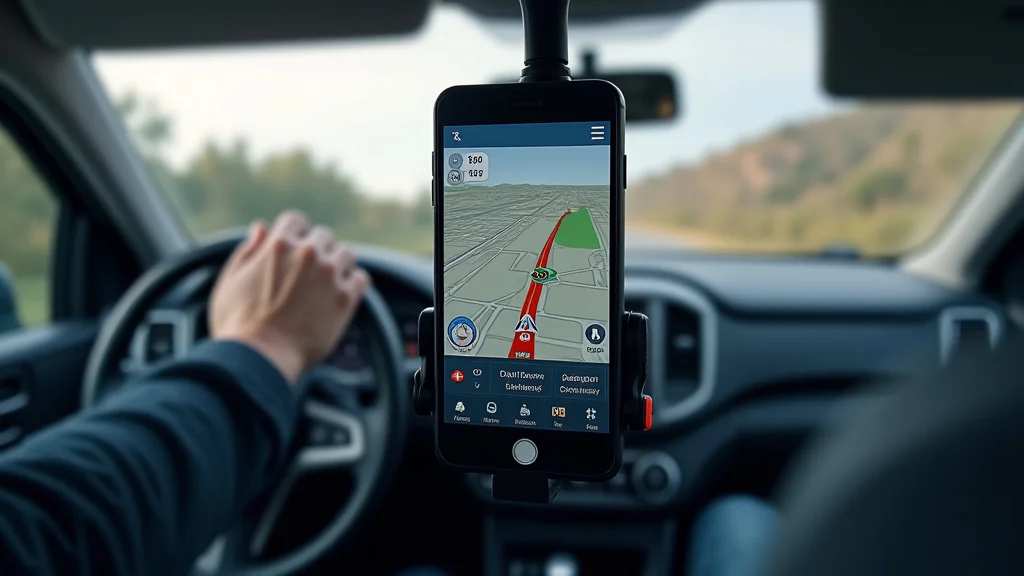
Remember that time you were late for a meeting, frantically trying to adjust your GPS while weaving through traffic? We’ve all been there! It’s stressful and, frankly, dangerous. But what if you could simply tell your device where to go, keeping your eyes on the road and your hands on the wheel? This post explores the ease and safety of using gps navigation with voice command, transforming your driving experiences. You’ll learn how this technology works, its various benefits, and how to select the best system for your needs. Read on, and discover how to make every drive smoother and safer, gaining a practical edge on your daily commutes and road trips. This information will boost your confidence and provide useful tips to better use gps navigation with voice command, leading to a more pleasant driving experience.
Key Takeaways
- Learn how voice command enhances the safety of GPS use while driving.
- Discover the various advantages of using voice control for GPS systems.
- Explore the technical side of how voice commands function in GPS systems.
- Find out which features to look for when choosing a voice-activated GPS.
- Get tips on the best ways to maximize the benefits of voice command GPS.
- Understand the common challenges and troubleshooting tips.
The Fundamentals of Voice-Controlled GPS Systems
Driving has become much simpler with the advent of GPS technology. You can now get directions, avoid traffic, and find points of interest with a few taps on a screen. But, even with those features, interacting with the device while driving can be dangerous. Voice control systems are a game-changer because they let you keep your focus on the road. Instead of looking down at your device and manually entering information, you can simply speak commands to your GPS system.
How Voice Commands Work
At the heart of voice command GPS systems is voice recognition technology. The system uses sophisticated algorithms to translate the spoken words into actions. It starts with your voice, which is captured by a microphone, typically built into your car’s infotainment system or the GPS device itself. This audio signal is then processed, and the system filters out background noise, such as road noise or the sound of the radio. The next stage involves a digital signal processor (DSP) which converts the analog audio into a digital format. Then, the system analyzes the digital data to extract key features of your voice, like its pitch and tone. This data is then compared to a database of pre-set voice commands. These commands might include “navigate to,” “find gas stations,” or “reroute”. The system identifies the command and interprets it, passing it along to the GPS software, which acts upon the command. For example, the system then starts to calculate the best route to your specified destination and begins to provide turn-by-turn directions. There may be some additional steps. Some advanced systems use Artificial Intelligence (AI) to learn and adapt to your unique voice patterns and accents.
- Microphone Input: The system uses a microphone to capture your spoken commands. This could be integrated into your car or the GPS device.
- Noise Cancellation: This process is designed to filter out road noise, music, or other distractions to ensure accuracy.
- Voice Recognition Algorithms: These are complex systems that convert speech into text that the device understands.
- Command Interpretation: The system determines the meaning of your speech and then executes actions, like setting a destination or providing directions.
The Components of a Voice-Activated System
The system needs a few components to function smoothly. The main parts include a microphone for voice input, a processing unit to interpret the commands, and a speaker for output. High-quality microphones are essential for capturing clear audio input and canceling background noise. The processing unit is the brain of the operation, using software to convert voice to commands. The speaker provides feedback by relaying directions and information to the driver. The processing unit can also integrate with the car’s navigation system and entertainment unit. Modern systems also utilize Bluetooth or other wireless options for connectivity and over-the-air updates.
- Microphone: This part captures your spoken commands. Quality microphones filter out road noise.
- Processing Unit: This system uses software to convert voice input into actions, like setting a destination.
- Speaker: The speaker communicates your instructions, providing turn-by-turn guidance.
- Connectivity: Bluetooth or other wireless options ensure seamless connectivity and over-the-air updates.
Voice Command Customization Options
Most modern systems allow you to adjust the settings. This includes the ability to change the voice that gives the directions, the volume levels, and the language. You may have options for controlling how the system responds to commands. Some systems let you add your voice for better recognition. This is valuable because it improves the accuracy of the system, especially if you have a unique accent or voice patterns. Furthermore, you often have a choice of the type of information you get. These features can significantly improve your interaction with the system.
- Voice Selection: Choose from a range of voices for the system’s directions and guidance.
- Language Options: Select your preferred language for directions and system prompts.
- Command Customization: Customize the types of commands you use.
- Volume and Audio Settings: Adjust the volume levels.
Safety Benefits of Using Voice Command GPS
The most important advantage of using voice commands is the increased safety for you and other drivers on the road. By keeping your hands on the wheel and your eyes on the road, you significantly reduce the chance of accidents. This is more than a convenience; it’s a security feature that can make the difference between a safe drive and a dangerous situation.
Reduced Distractions
Manually interacting with a GPS device requires that you take your eyes off the road. Voice commands eliminate this distraction. This allows drivers to stay focused on driving. Visual distractions are a major factor in accidents. According to a study by the National Highway Traffic Safety Administration (NHTSA), distracted driving claimed 3,142 lives in 2020. Voice commands can help lessen this. It minimizes the time drivers spend looking away from the road, potentially reducing the risk of a crash.
- Eyes on the Road: Voice command GPS lets drivers keep their eyes on the road.
- Less Visual Distraction: Voice control reduces the frequency and duration of eye movements away from the road.
- Focus on Driving: Drivers stay more focused on the driving task.
Hands-Free Operation
Many jurisdictions have rules regarding the use of mobile devices while driving. Voice commands are in line with these rules. This helps prevent violations and potential fines. By allowing hands-free operation, voice commands let drivers use GPS safely and legally. This feature is particularly valuable when you are in a new area. It allows the driver to focus on traffic. Hands-free use helps to prevent drivers from getting distracted by their devices.
- Complies with Legal Requirements: Hands-free operation allows drivers to comply with traffic laws in many areas.
- Reduced Risk of Fines: Voice command GPS reduces the chances of getting fined for using your device while driving.
- Safer Interaction: Hands-free interaction allows drivers to use GPS without the added risks.
Quick Route Adjustments
Traffic and other road conditions can change rapidly. Voice commands make it easy to make quick changes to your route. If you hear about an accident or traffic, you can tell the GPS to find an alternate path without manually entering data. This ability to get real-time information and adapt helps drivers avoid delays, which helps to maintain the safety of the driver and those around them.
- Real-time Traffic Updates: The system can quickly access and act on the most current traffic reports.
- Easy Rerouting: Drivers can easily reroute.
- Avoid Delays: Drivers can avoid traffic delays, which reduces frustration and increases safety.
Selecting the Ideal Voice Command GPS System
Choosing the best voice command GPS system involves some decisions. There are various options available, ranging from standalone devices to integrated systems in vehicles. The best choice will depend on your individual needs and the features that matter most to you. There are some factors to consider: ease of use, quality, accuracy, connectivity, and features. Considering these key areas will guide you in choosing a voice command GPS system.
Standalone GPS Units vs. Integrated Systems
There are benefits and drawbacks to each type of system. Standalone units are portable and can be transferred between vehicles. They offer easy installation and are often more affordable. In contrast, integrated systems come pre-installed in a vehicle and are part of the car’s infotainment system. They often offer a more seamless experience and can integrate with other vehicle functions. The decision often depends on personal needs, budget, and the level of integration desired.
- Standalone GPS Units: These units are portable and easily moved between cars.
- Integrated Systems: Integrated systems are built into the vehicle.
- Ease of Use: Standalone units have easier installation. Integrated systems have a more user-friendly interface.
Key Features to Consider
When choosing a voice command GPS system, it is important to check out a few features. Look for high-quality microphones that can filter out road noise, so the system understands you. Examine the accuracy and the clarity of the voice recognition software. Check out if the system supports real-time traffic updates. Other features include map updates and other points of interest. Consider the ease of use of the interface, the size of the screen, and the degree of integration with other car functions. The features available can improve the driving experience.
- Voice Recognition Accuracy: Ensure that the system can accurately recognize commands, especially with different accents and speech patterns.
- Real-time Traffic Updates: Check to see if the system offers real-time traffic updates.
- Map Updates: Make sure map updates are easy to access.
- Ease of Use: Consider the intuitiveness of the interface, the screen size, and the integration of your vehicle’s features.
Budget and Cost Considerations
The cost of a voice command GPS system can vary. Standalone devices are more budget-friendly. Integrated systems are often part of the higher-end vehicle package. In addition to the upfront costs, consider any extra expenses, such as map updates or premium features. Setting a budget helps to limit choices. Before deciding, make a list of desired features and compare models. This will allow you to make a choice that is best for your needs and your budget. This helps get the best value for your money.
- Initial Cost: Set a budget.
- Additional Costs: Account for costs, such as map updates.
- Features: Prioritize features.
- Comparison: Compare different models.
Maximizing Voice Command GPS Benefits
To get the most from your voice command GPS system, the device needs to be set up correctly and used with precision. Proper use improves the accuracy and safety of your trips. Following these guidelines makes your GPS more helpful and safer. This will also ensure a more user-friendly experience.
Setting Up Your System for Optimal Performance
Careful system setup is essential for voice command GPS. This starts with proper positioning of the device. Make sure the device is mounted securely and within your line of sight. Calibrate your voice profile, so the system can recognize your voice. Customize settings to improve performance, like volume levels, voice prompts, and preferred routes. Regular software updates are important because they can boost accuracy and add new features. Properly setting up the system can improve the functionality.
- Placement: Position the GPS for a clear view.
- Voice Calibration: Calibrate your voice profile.
- Settings: Customize your settings.
- Software Updates: Stay current with the software.
Best Practices for Using Voice Commands
Using voice commands requires using the right language. Speak clearly and concisely. Use the established phrases, such as “navigate to” or “find the nearest gas station”. Minimize background noise to improve the accuracy. You should also verify the system’s responses. By practicing and learning the system’s voice commands, you can enhance your efficiency. By practicing, you will become more comfortable with the system and have improved safety.
- Speak Clearly: Enunciate.
- Use Specific Commands: Stick to the phrases the system understands.
- Minimize Noise: Reduce any background interference.
- Verify Responses: Confirm that the system has understood and followed the commands.
Troubleshooting Common Issues
Even with the best systems, problems can occur. If the voice commands aren’t working, check the volume. You should also ensure that the microphone isn’t blocked. If the system is not getting the correct directions, verify the settings. Sometimes, the GPS signal might be weak. In that case, try moving to a location where the signal is strong, such as an open area. Consult the system’s manual for additional troubleshooting steps. Understanding these issues will allow you to quickly solve problems.
- Voice Recognition Issues: Check the system and surroundings to see if they’re affecting the signal.
- Signal Problems: If needed, move to an open area.
- System Malfunctions: See the manual.
Common Myths Debunked
Myth 1: Voice command GPS systems are too complex to learn.
In reality, the GPS navigation with voice command is designed with the user in mind. Many systems have intuitive interfaces that make them easy to use, even for people who aren’t tech-savvy. The core functions, like setting a destination or getting directions, usually involve simple commands that are easy to remember. Most systems give visual and audio cues. Moreover, many providers offer training resources. By using the system over time, you will learn the ins and outs of the system.
Myth 2: Voice commands can’t recognize different accents or voices.
It’s true that early voice recognition systems struggled with a range of accents and voices. However, the technology has greatly improved. Modern systems utilize advanced algorithms and machine learning to recognize voices. Many systems allow you to personalize voice profiles to improve the accuracy of the system. Systems that allow for voice training can adapt to your unique voice. This greatly improves the user experience for people with diverse accents.
Myth 3: Voice command GPS systems are always accurate.
While GPS systems are typically accurate, they are not foolproof. Some of the problems come from the information they use, which can sometimes be delayed or inaccurate. For instance, real-time traffic updates may not capture every event. GPS signals can be affected by weather. It is important to remember that it is a tool. You should pay attention and use good judgment.
Myth 4: Voice command GPS systems drain your phone’s battery.
Standalone GPS devices use their own power. They are designed to operate for extended durations. When using a smartphone, there is some battery consumption from running the app and the voice commands. However, modern phones and navigation apps are designed to be energy efficient. Using a charger while driving solves the problem. You can usually manage the battery life when using the system. You have to consider other applications running on your phone. However, the battery drain is often minimal.
Myth 5: Voice command GPS is only useful for people who travel a lot.
Voice command GPS is beneficial for any driver who wants to drive safely and efficiently. Even if you only travel a short distance, voice commands can help. They can provide turn-by-turn directions, avoid traffic, and help you find things. It is very useful in areas you’re not familiar with. It is still a useful tool to help make your trip easier. Even if you don’t travel often, the convenience and safety of voice command GPS can enhance every trip.
Frequently Asked Questions
Question: How do I update the maps on my GPS system?
Answer: Map updates are usually available through the manufacturer’s website. You can connect your device to your computer via USB. You can also do it through a mobile app. Follow the prompts to download and install the latest map data.
Question: Can I use voice commands to find the nearest gas station?
Answer: Yes, most voice command GPS systems allow you to search for points of interest, including gas stations, restaurants, and other services. Simply speak the command “Find the nearest gas station” or a similar phrase, and the system will locate nearby options.
Question: What happens if the GPS signal is lost while I’m driving?
Answer: If the GPS signal is lost, the system may switch to dead reckoning, which uses the car’s sensors to estimate your position. The GPS will try to reacquire the signal. Make sure you’re in an open area to get a good signal.
Question: Is voice command GPS available in multiple languages?
Answer: Yes, most GPS systems offer multiple language options. You can usually select your preferred language in the settings menu.
Question: How can I improve the voice recognition of my GPS system?
Answer: To improve voice recognition, make sure you speak clearly and use the specific phrases the system understands. Eliminate background noise. Recalibrate your voice profile if your system has this function. Keep the software current by downloading the updates.
Final Thoughts
GPS navigation with voice command has transformed the way we drive. By letting you keep your hands on the wheel and your eyes on the road, it reduces distractions. It enhances driving safety. With the ability to control the system with spoken commands, drivers can easily set destinations, adjust routes, and receive real-time updates. The value of voice-activated systems is clear: they contribute to a safer, more efficient, and user-friendly driving experience. These tools provide convenience and legal compliance in many areas. As technology keeps developing, expect more improvements in voice command systems. Embrace these changes, and you’ll find every journey is easier and more secure.