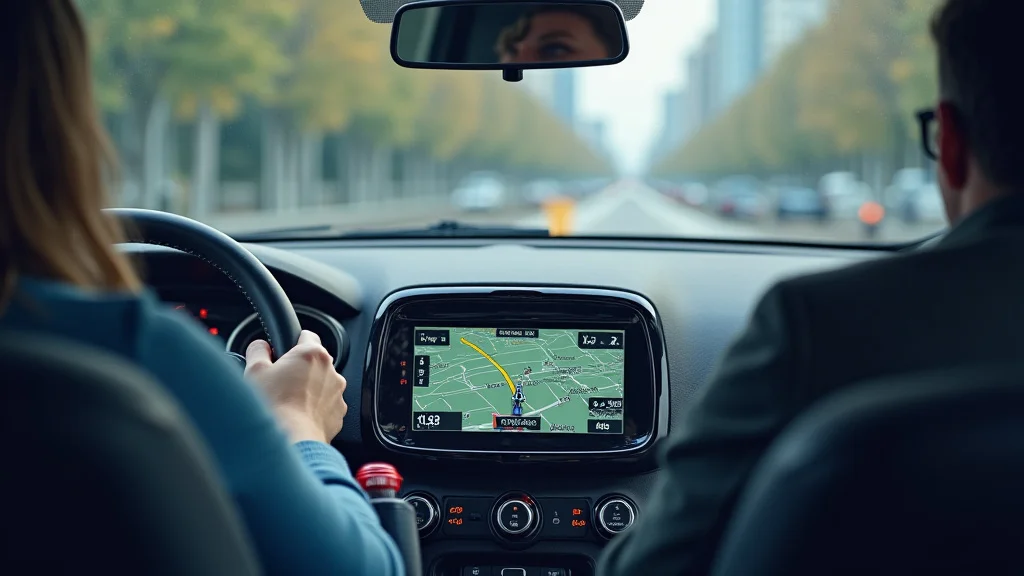
Remember that time you were late for an important meeting, hopelessly lost in a maze of unfamiliar streets? We’ve all been there. It’s frustrating, right? Thankfully, modern technology offers a solution: gps navigation instructions. This guide will transform your phone or car’s navigation system into your personal guide, turning you into a confident explorer. You’ll become a pro at utilizing gps navigation instructions. By the end, you’ll feel confident using any GPS system, making every trip smooth and stress-free. Let’s get started!
Key Takeaways
- You will learn how GPS systems function.
- You’ll get tips on how to effectively use GPS apps.
- You’ll understand the importance of map updates.
- You’ll discover how to troubleshoot common navigation problems.
- You will find out about various navigation features that can help.
- You will become better at safely using GPS while driving.
The Basics of GPS: How It Works
The Global Positioning System (GPS) is a network of satellites orbiting Earth, sending signals that pinpoint your location. Imagine tiny radio beacons scattered across space, constantly pinging your device. Your GPS receiver (in your phone or car) picks up these signals, calculating your distance from several satellites. By comparing these distances, it triangulates your exact location on the planet. Think of it like a giant game of “Marco Polo,” but instead of shouting, satellites send radio waves.
A GPS unit needs signals from at least four satellites to determine your location accurately. The more satellites it can connect to, the more precise the location data. This data includes your latitude, longitude, and altitude, providing a three-dimensional view of your position. The system also calculates your speed and direction of travel. This allows the system to determine how to provide gps navigation instructions.
GPS Satellite Signals: The Space-Based Network
The satellites are the backbone of the GPS system. They orbit the Earth at approximately 12,550 miles (20,200 km) above the surface, completing two orbits every day. Each satellite transmits a signal containing information about its position and the precise time. These signals travel at the speed of light, reaching your GPS receiver in a fraction of a second.
There are over 30 operational GPS satellites maintained by the United States Department of Defense. These satellites are constantly monitored and updated to ensure accurate and reliable signals. Other countries and organizations also operate their own satellite navigation systems, such as the European Union’s Galileo and Russia’s GLONASS. When your device uses all of these satellite systems, your navigation experience is improved.
- Signal Structure: The signal contains essential data. This includes satellite’s health, its position, and the precise time from the satellite’s atomic clock. This is critical for calculating your distance. The information is transmitted on different frequency bands to minimize interference and ensure signal integrity.
- Atmospheric Effects: The radio signals emitted by the satellites need to pass through the Earth’s atmosphere. The ionosphere and troposphere can slightly delay the signals. GPS receivers use various models to correct for these delays, improving location accuracy.
- Satellite Health and Maintenance: Every satellite has a specific lifespan, typically around 7-10 years. They are constantly monitored to make sure that they are working. When a satellite fails, it’s
The GPS Receiver: Your Personal Navigator
Your GPS receiver is the device that decodes the signals from the satellites. This can be your smartphone, a dedicated GPS device, or built into your car’s dashboard. It receives the satellite signals, calculates your position, and then displays it on a map. Modern receivers also offer advanced features like turn-by-turn directions, real-time traffic updates, and points of interest.
The receiver’s antenna is a vital component, designed to pick up the faint radio signals from the satellites. Its sensitivity and design affect the device’s ability to acquire and maintain a signal, especially in areas with obstructions like tall buildings or dense forests. Processors within the receiver perform complex calculations to provide you with your location. They also analyze information like your speed and direction to predict your path.
- Chipset Technology: The chipset is the core of your GPS receiver, responsible for processing signals. Modern chipsets use advanced technology to improve accuracy, reduce power consumption, and provide faster signal acquisition. They can receive and process signals from multiple satellite systems.
- Power Consumption: GPS receivers use a lot of power. This can affect the battery life of devices like smartphones. Manufacturers constantly work on improving power efficiency to provide a better user experience.
- Accuracy Improvements: Techniques like assisted GPS (A-GPS) and differential GPS (DGPS) further enhance accuracy. A-GPS uses cellular networks to speed up signal acquisition, especially in urban environments. DGPS uses base stations to correct for errors.
Getting the Most Out of Your GPS Navigation Instructions
To use GPS effectively, you need a GPS receiver, a map, and a basic understanding of how the system works. Once you have these, you can start exploring the world with confidence. Whether you’re using your smartphone, a dedicated GPS device, or your car’s navigation system, the principles of effective use remain the same.
Familiarize yourself with the interface of the navigation system you use most often. Learn how to enter destinations, view maps, and adjust settings. Practice using the system before you need it. Make sure you understand how to use the GPS for gps navigation instructions. The more familiar you are, the less distracted you will be while driving.
Entering Your Destination: Accuracy Matters
Entering your destination correctly is the first step toward successful navigation. Most systems allow you to search by address, city, or even point of interest. Be precise. Double-check your entries to ensure accuracy. Small mistakes can lead to major detours. If you are entering a specific address, enter the street number first, followed by the street name, city, and zip code. This sequence minimizes errors.
When searching for a point of interest (POI), be specific. If you’re looking for a restaurant, include the type of cuisine or the name of the establishment. This will help you find the exact location. Save frequent destinations like your home, work, and family members’ homes for quick access. Take advantage of the search history. Use the system’s voice command feature to enter destinations safely while driving.
- Address Input Methods: Many systems offer multiple ways to input addresses. These include manual entry using an on-screen keyboard, voice input, and searching by nearby POIs. Each method has its pros and cons, so choose the one that works best for you. Voice input is usually the safest method.
- Points of Interest (POI) Search Tips: When looking for a specific POI, start with a broad search to see what options are available. Narrow down your search by adding more information. Pay attention to the rating, reviews, and hours of operation. Consider using filters to refine your search.
- Favorites and History: Use the system’s favorite destinations feature to save locations you visit often. This can save you time and effort. Review your search history to quickly access previously entered destinations. Regularly clean up your favorites and history to stay organized.
Following the Instructions: Staying on Track
Once you’ve entered your destination, the GPS will provide turn-by-turn gps navigation instructions. Pay close attention to these instructions and follow them carefully. Listen to the audio prompts, and keep an eye on the map display. Some systems offer visual cues. These can include lane guidance and street names. This reduces the chance of confusion.
Be aware of your surroundings. Do not rely solely on the GPS; look for road signs and landmarks that confirm your route. If the GPS gives you a confusing or incorrect instruction, stay calm. Use a landmark to reorient yourself. Then, recalculate your route. Avoid making sudden turns or maneuvers. Instead, pull over safely to review the instructions and plan the next move. This ensures the safety of yourself and others.
- Audio Prompts vs. Visual Cues: Many systems offer both audio prompts and visual cues. Use both to stay informed. Audio prompts provide real-time instructions. Visual cues, such as lane guidance, help you prepare for turns and changes in the road.
- Understanding Road Signs: While GPS helps, road signs are the ultimate confirmation of your route. Pay attention to street names, traffic signals, and other important markers. Road signs are a great way to verify the navigation instructions and prevent mistakes.
- Responding to Unexpected Instructions: If the GPS gives you an incorrect instruction, don’t panic. Remain calm and safely pull over to review the route. Recalculate your route or manually adjust your destination.
Maintaining Your GPS: Updates and Troubleshooting
To ensure your GPS always works, regular maintenance is important. This includes keeping your device and maps updated. GPS systems rely on accurate maps. Outdated maps can lead to incorrect routes or missing road information. Regular updates fix bugs. These updates also introduce new features, making your experience better. Troubleshooting common problems helps keep your GPS running smoothly.
Check for map updates at least once a quarter. This is especially important if you travel frequently. If your device offers automatic updates, enable them to save time. Regular software updates also improve performance and add features. Troubleshooting helps you solve issues when they arise. If you encounter a problem, consult the user manual or online resources for solutions. Sometimes, a simple reset can resolve the problem. The goal is to keep your GPS ready for use.
Updating Maps: Ensuring Accuracy
Map updates are crucial for accurate navigation. Roads change. New businesses open. Map updates ensure your device has the latest information. Check your device’s settings to see how often it updates. Follow the manufacturer’s instructions for downloading and installing updates. Updates can be done wirelessly, or you may need to connect your device to a computer.
The frequency of map updates varies. Some GPS devices offer quarterly updates, while others offer more frequent updates. Check your manufacturer’s website. Be aware of the size of the update files. It’s often recommended to download updates over a Wi-Fi connection to avoid using your mobile data. Always back up your maps before updating. This prevents data loss if something goes wrong during the update process.
- Update Frequency: The frequency of map updates affects the accuracy of your navigation. Some systems offer monthly updates. Others may offer quarterly or annual updates. Check your device to find out how often it is updated.
- Update Methods: Some GPS devices download updates wirelessly. Others require a computer connection. For devices with a computer connection, follow the manufacturer’s instructions.
- Map Data Storage: When updating maps, you may need to delete older map versions to free up storage space. This ensures your device has enough memory. Always back up your current map data before updating to avoid data loss.
Troubleshooting Common Issues
Even with the best GPS, you might encounter issues. Problems with signal reception, inaccurate directions, or freezing software can happen. Knowing how to troubleshoot these problems can save time. Many problems can be resolved with simple steps. Learn how to address these common issues to keep your GPS functioning.
Check the basics first: Make sure your device has a clear view of the sky. Check that the GPS is turned on. Ensure the battery isn’t too low. If the signal is weak, move to a different location. Restarting the device can often fix software glitches. Review the device’s user manual. It contains solutions to common problems. If the problem persists, contact the manufacturer’s customer support. Always try to find a solution that works for you.
- Signal Problems: If your GPS has a weak signal, check for obstructions. Tall buildings, dense trees, and being indoors can interfere. Ensure the GPS antenna is not blocked. Move to an open area and wait for a stronger signal. Restarting the device can sometimes help.
- Software Glitches: If your device freezes or gives incorrect directions, try restarting it. Many software issues can be resolved with a simple restart. Check for software updates. Ensure you have the latest version.
- Hardware Issues: If you suspect a hardware problem, check the device’s battery and charging port. Make sure they are working correctly. Contact the manufacturer’s support or a repair shop if the problem persists. Never try to repair a device unless you know what you are doing.
Beyond Basic Navigation: Advanced Features
Modern GPS devices offer more than just turn-by-turn directions. Advanced features provide a better and safer user experience. Features like real-time traffic updates, lane guidance, and voice control help make your journeys more efficient and enjoyable. These added functions are designed to make your trips easier.
Traffic updates help you avoid delays. These updates give you real-time information about traffic congestion, accidents, and road closures. Lane guidance helps you prepare for turns and complex intersections by providing visual cues. Voice control lets you operate your device hands-free, making it safer to use while driving. Explore these features and make the most of your GPS system.
Traffic Updates: Avoiding Congestion
Real-time traffic updates help you avoid traffic jams and delays. Your GPS uses various sources to gather traffic information, including road sensors and data from other GPS users. It then displays this information on your map, showing you areas of congestion. The system recalculates your route based on real-time traffic conditions. This saves you time and reduces stress.
You can often customize your traffic settings to get the level of detail you want. Set your preferred routes. Consider setting up alerts for delays. Also, you might want to specify your preferred traffic data source. Be aware that the accuracy of traffic data depends on the data source. The system can automatically reroute you around traffic. This is based on real-time data. Traffic updates can save you time and help you get to your destination faster.
- Traffic Data Sources: GPS devices gather traffic data from various sources. These include road sensors, mobile phone data, and information from other GPS users. The reliability of traffic information depends on the number of data sources.
- Route Optimization: GPS systems use traffic data to optimize your route. If traffic delays are detected on your current route, the system may suggest an alternate path. This is especially helpful during rush hour.
- Customizing Traffic Settings: You can customize your traffic settings to suit your needs. Set up alerts for traffic delays. Identify preferred routes. Choose your traffic data sources.
Lane Guidance: Preparing for Turns
Lane guidance is a feature that helps you prepare for turns and lane changes. The system uses visual cues to show you the correct lane to be in. These cues show up on the screen and often feature graphic images of road signs. This is particularly helpful in complex intersections or areas with multiple lanes. By following these visual aids, you can confidently navigate through busy areas.
Lane guidance can minimize the likelihood of taking a wrong turn. It also reduces the stress of driving in unfamiliar areas. The system often displays a split-screen view. The view has the main map, and also shows the lanes for your upcoming turn. Use the lane guidance in conjunction with the audio prompts to follow the right road. The goal is to reach your destination smoothly.
- Visual Cues: Lane guidance uses visual cues to help you prepare for turns. These cues typically show you the correct lane.
- Complex Intersections: Lane guidance is especially helpful in complex intersections. These intersections often have multiple lanes.
- Enhanced Safety: Lane guidance helps to reduce the likelihood of making errors. This improves safety for you and others on the road.
Common Myths Debunked
Myth 1: GPS always works perfectly.
Reality: GPS signals can be blocked or weakened by obstructions like tall buildings, tunnels, and dense forests. Additionally, map data may not always be up-to-date, which can lead to errors. Always keep an eye on your surroundings. Combine GPS guidance with traditional road signs. Then, you can make informed decisions.
Myth 2: Using GPS drains your phone’s battery very quickly.
Reality: GPS does use some power. However, newer phones and devices have improved battery efficiency. There are some ways to conserve your battery. Use airplane mode when you don’t need location services. Turn off background app refresh. And consider a car charger for longer trips.
Myth 3: GPS is always 100% accurate.
Reality: GPS accuracy can vary depending on several factors, including the number of visible satellites, atmospheric conditions, and the quality of the device. While GPS is highly accurate, it’s not perfect. It’s essential to be aware of the potential for inaccuracies and to double-check directions. It’s often recommended to compare the directions to the road signs.
Myth 4: You need a data plan to use a GPS.
Reality: Most GPS devices and apps can work offline. You can download maps and routes beforehand. If you have a dedicated GPS device, it typically doesn’t need a data connection. Many apps let you download maps. You can download these maps over Wi-Fi, then use them offline. This is useful for saving data. It’s also helpful in areas with weak or no cellular coverage.
Myth 5: GPS is only for driving.
Reality: GPS is used in a wide variety of ways. It is essential in a car to provide gps navigation instructions. It’s also used for hiking, cycling, and other outdoor activities. It’s used in surveying, agriculture, and emergency services. It helps with location tracking for fitness apps. It’s a versatile tool that can be used in many situations.
Frequently Asked Questions
Question: How accurate is GPS?
Answer: GPS accuracy can vary, but generally, it’s accurate to within a few meters. However, accuracy can be affected by factors like signal obstruction, atmospheric conditions, and the quality of the device.
Question: What do I do if my GPS isn’t working?
Answer: First, check if you have a clear view of the sky and the GPS is turned on. Try restarting the device. Make sure the maps are updated. If problems persist, try consulting the user manual or contacting customer support.
Question: Can I use GPS offline?
Answer: Yes, many GPS apps let you download maps to use offline. Make sure you download the maps for the areas you’ll be traveling through. Check the app’s settings for the option to download maps.
Question: How often should I update my GPS maps?
Answer: Update your maps regularly to ensure accuracy. The frequency depends on your device and how often you travel. Check the manufacturer’s recommendations. Many recommend at least quarterly updates.
Question: Is it safe to use GPS while driving?
Answer: Yes, but you must use it responsibly. Set your destination before you start driving. Keep your eyes on the road. Do not use your device in ways that will distract you. Use voice commands when available. Pull over to make changes to your route.
Final Thoughts
Using gps navigation instructions has become second nature for many, transforming how we explore the world. From finding the best routes to discovering new restaurants, GPS is a helpful tool. You now know the fundamentals of how these systems operate, how to use them effectively, and how to maintain them. You have also learned how to use features like traffic updates and lane guidance to make your driving experiences better.
Now, you can confidently use a GPS, whether you’re traveling across town or across the country. Practice makes perfect. Don’t be afraid to experiment with the different settings and features. Explore the world safely and efficiently. Happy travels!