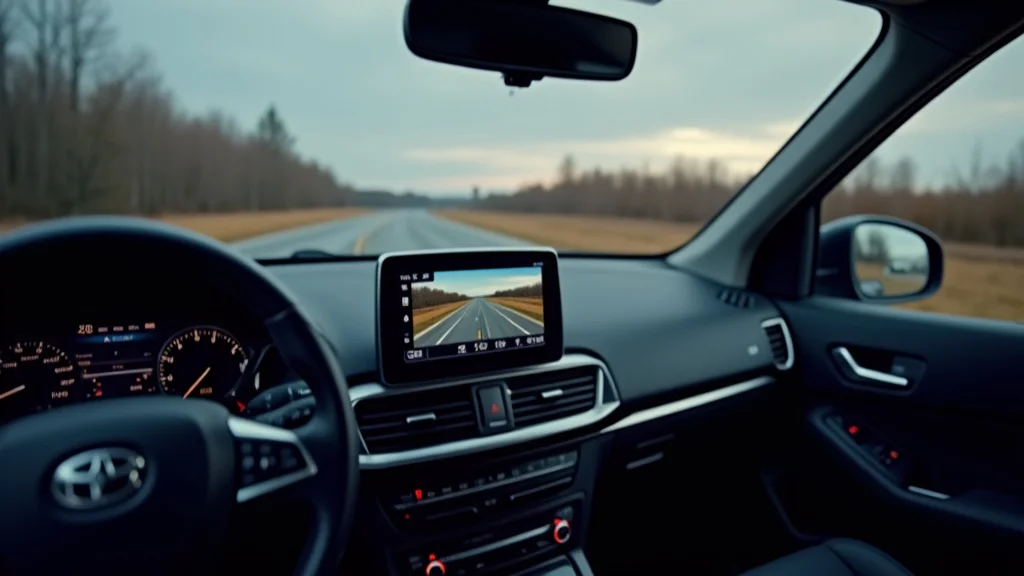
Picture this: you’re on a road trip, and suddenly, a close call! A car cuts you off. Or perhaps you witness something incredible. Wouldn’t it be great to have a record? That’s where a 7 inch car GPS navigation recording system shines. It provides both navigation and video capture. This post explores the features, benefits, and practical uses of these systems, offering a clear guide to help you find the right one. You’ll find out how these devices work, what to look for when buying one, and how they can make your driving safer and more enjoyable. You’ll gain a solid grasp of this technology, improving your ability to make informed decisions and enhancing your road experiences.
Key Takeaways
- Understand the primary functions of a 7 inch car GPS navigation system with recording capabilities.
- Discover the benefits of dashcam functionality combined with GPS navigation.
- Learn about important features like screen size, resolution, and storage options.
- Explore how these systems improve driving safety and accountability.
- Find out the different types of recording options and the associated benefits.
- Get tips on selecting the ideal 7 inch car GPS navigation recording system for your needs.
Understanding Car GPS Navigation with Recording
A car GPS navigation system with recording capability merges two essential functions: real-time navigation and video capture. Imagine having a digital co-pilot that guides you while simultaneously documenting your journey. These devices typically include a screen that displays maps, turn-by-turn directions, and often, traffic updates. Integrated cameras record what happens on the road, creating a visual record of your drive. This combination is particularly useful for drivers looking to enhance their safety, document their trips, or have evidence in case of incidents. This blend offers peace of mind.
Essential Navigation Features
Effective navigation is the core of these systems. Several key features make it work. Advanced systems use GPS (Global Positioning System) satellites to determine their exact location, providing accurate directions. They also include detailed maps, updated regularly to reflect changes in roads and points of interest. Real-time traffic updates are also common, rerouting you around congestion and helping you get to your destination faster. The best systems also offer voice guidance, allowing you to keep your eyes on the road. The user interface matters too, as it needs to be easy to read and intuitive to use. This way, the system provides assistance.
- GPS Accuracy: This is the foundation of navigation. GPS accuracy depends on several factors, including the number of satellites in view and the clarity of the signals. The more accurate the GPS, the more precise the directions. High-quality systems use multiple GPS satellites to pinpoint their location, leading to better results. GPS signal interference can happen in cities with tall buildings. In such scenarios, the system may rely on other sensors to maintain its accuracy.
- Map Updates: Roads are always changing, so regular map updates are key. The system’s usefulness depends on this. Map updates often come in two ways: over-the-air (OTA) via Wi-Fi or Bluetooth, or through manual downloads via a computer. The frequency of these updates also affects the device’s usefulness, which is why regular updates are necessary. New roads, changed routes, and new points of interest, like shops, are regularly added to these updates.
- Traffic Updates: Real-time traffic data can make a huge difference in your driving experience. These updates come from various sources, including government agencies and other drivers. Traffic information is then used to suggest alternative routes. These systems use technologies like TMC (Traffic Message Channel) or other data services to gather and deliver this information. Drivers who use these features can save time and avoid stressful situations.
- Voice Guidance: Clear voice guidance is also important for safe driving. This feature gives audio instructions, helping you keep your eyes on the road. The system provides clear prompts. The volume and clarity of the voice guidance also matter; if it’s too soft or hard to hear, it can be unhelpful. You can customize settings, such as the voice used, to suit your preferences.
- Points of Interest (POI): Points of interest are critical for travel. They add value to any road trip. POIs can be gas stations, restaurants, or hotels. They are integrated into the maps, making it easy to find them. The quality of the POI database matters a lot. It must be updated frequently.
Video Recording Functionality
The recording aspect of these systems is equally essential. This feature includes a built-in camera that captures video of the road ahead. Video recording is useful in the event of an accident. The camera records continuously while the vehicle is in operation. Many systems include loop recording, which overwrites old footage when the storage is full. Video resolution, frame rate, and storage capacity are all essential aspects. The higher the resolution, the clearer the images. The recording aspect gives drivers and law enforcement a tool to analyze incidents.
- Video Resolution and Frame Rate: Video quality greatly impacts how useful your recordings are. High-definition (HD) resolution is standard, and many systems now record in Full HD (1080p) or even higher resolutions, such as 2K or 4K. The frame rate, measured in frames per second (fps), also affects video clarity. A higher frame rate creates smoother video, which is helpful. Higher resolution and a higher frame rate provide more detail.
- Loop Recording: Loop recording manages the storage space on your device. When the storage card is full, the oldest video files are automatically overwritten, so the dashcam keeps recording. Loop recording ensures continuous monitoring, making sure you always have the most recent footage. The loop recording setting allows you to select the length of each video file. These options generally include one, three, or five-minute intervals.
- G-Sensor and Emergency Recording: A G-sensor detects sudden movements, like a collision. When it detects such movement, the system automatically saves the current recording and protects it from being overwritten. This is known as emergency recording. The sensitivity of the G-sensor is usually adjustable. This allows users to customize the system’s behavior.
- Storage Options: Storage capacity influences how much video can be saved. Most systems use microSD cards to store video. The maximum storage capacity varies, so consider this when you are buying your system. A higher capacity allows you to store more video before the loop recording overwrites older footage. It is also important to use a microSD card that can handle the high data rates of video recording.
- Camera Lens: The camera lens is a key component. The wide-angle lens captures more of the scene. The viewing angle may range from 120 to 170 degrees, enabling the camera to capture multiple lanes. A wider angle increases the chance of catching everything. The lens quality also affects the video’s clarity.
How a 7 Inch Car GPS Navigation Recording System Improves Safety
A 7 inch car GPS navigation recording system has many safety benefits. The dashcam function provides an unbiased witness in case of an accident. It gives the driver a record of events. The recording can be used for insurance claims. Some systems include driver-assistance features like lane departure warnings and forward collision warnings. They provide an extra layer of protection. These features actively help drivers stay safe and avoid potential collisions. The system contributes to safer driving. These features offer a boost in safety.
Accident Documentation and Protection
One of the most immediate benefits of a dashcam is its ability to document accidents. In an accident, the video recording can be critical. The recording gives an objective account of what happened. This is useful for insurance claims and legal proceedings. The video can help determine who was at fault. It can capture key details, such as the positions of vehicles and traffic signals. This can protect drivers from false claims. It offers peace of mind.
- Evidence for Insurance Claims: Video footage is strong evidence for insurance companies. After an accident, the video can prove what occurred. This can speed up the claims process. With the video, it is much easier to resolve disputes. You may receive the coverage you deserve quickly.
- Protection from Fraudulent Claims: Sadly, there are drivers who make false claims. The dashcam footage can protect you. The recording helps disprove any false information. The video will clearly show how the accident happened. This can save you money and protect your driving record.
- Legal Proceedings: Dashcam video can also be used in court. Video evidence can be critical. This can improve the chance of a favorable outcome. It offers an objective view. In some legal systems, dashcam footage can be accepted as evidence, helping to clear drivers.
- Analyzing Driving Behavior: The recording can be used to examine driving patterns. Drivers can see their habits. Seeing the footage can help people become better drivers. The video can show areas where improvements can be made.
- Assisting Emergency Services: In an emergency, the dashcam can supply valuable data. The video footage can give details, such as the position of the vehicles involved and the circumstances. This is helpful to paramedics, firefighters, and police. The system can provide critical facts.
Driver Assistance Features
Many systems come with driver assistance features. These systems add an extra layer of protection. Features include lane departure warnings and forward collision warnings. They help drivers stay alert and prevent collisions. These driver-assistance systems aim to reduce accidents. They increase driver awareness.
- Lane Departure Warning (LDW): This feature warns drivers if they drift out of their lane. The system uses a camera to monitor lane markings. If the vehicle begins to drift, the system gives a visual or audible alert. LDW is particularly useful on highways. It can prevent accidents caused by fatigue or distraction. This assists drivers in staying in their lane.
- Forward Collision Warning (FCW): FCW systems detect potential front-end collisions. They monitor the distance to vehicles ahead. If a collision is possible, the system provides a warning. This allows drivers to react quickly. These alerts may involve visual and audio cues. The goal is to help drivers prevent accidents.
- Speed Camera Alerts: Some systems have speed camera alerts. The system alerts drivers when they are approaching speed cameras. This feature encourages drivers to observe speed limits. It helps avoid speeding tickets. The alerts often include the speed limit for the area.
- Blind Spot Monitoring: A few advanced systems integrate blind-spot monitoring. Sensors track vehicles in the driver’s blind spots. The system then warns the driver if a vehicle is in their blind spot. This is important when changing lanes. The system adds another layer of security for the driver.
- Driver Fatigue Detection: Some systems have driver fatigue detection. These systems monitor the driver’s behavior. The device may issue warnings if the driver is drowsy or inattentive. These features can identify behaviors associated with fatigue. They help drivers stay awake.
Choosing the Right 7 Inch Car GPS Navigation Recording System
Picking the right system involves several factors. You will need to consider the screen size, the camera resolution, and storage options. You will also want to assess navigation features and ease of use. Comparing features and prices will help you get the best value. To make an informed decision, you should look at various models and see how they compare. By knowing your needs, you can find the perfect system.
Key Features to Consider
When choosing a 7 inch car GPS navigation recording system, consider important features. These include video quality, storage, GPS accuracy, and the user interface. Good video quality ensures you can see details. Ample storage capacity enables long recordings. Precise GPS gives accurate directions, and an easy interface makes navigation straightforward. It is important to compare these features and make a decision.
- Screen Size and Display Quality: A 7-inch display offers a balance between visibility and ease of use. The system needs a display that is easy to see. Consider the resolution of the screen, as higher resolutions are more detailed and clear. Screen brightness is also important, particularly in bright sunlight. Touchscreen functionality adds a layer of user control.
- Camera Resolution and Video Quality: Select a system with a high-resolution camera. Full HD (1080p) or higher is recommended to capture details. Look for a camera with a wide-angle lens. This offers a wider field of view. A good frame rate (30 fps or higher) ensures smooth video. Good video quality gives you clear evidence.
- Storage Capacity and Management: Check how much storage the device has. It is usually a microSD card. Select a card with enough storage for long recordings. Loop recording is a must-have feature. It overwrites old footage automatically. The management feature ensures you always have the most recent data.
- GPS Accuracy and Navigation Features: The accuracy of the GPS is critical for good navigation. Look for a system with a high-sensitivity GPS receiver. Check for features like real-time traffic updates. Voice guidance makes navigation easier and safer. You need to make sure the features work well for your driving needs.
- User Interface and Ease of Use: The user interface should be intuitive and simple to use. The menu should be easy to navigate. Consider the responsiveness of the touchscreen. The system should be user-friendly. Check if the system has clear audio instructions.
Understanding Important Specifications
You must know several specifications. These will affect the performance of your system. These are crucial elements to consider. These are the details you should consider before purchasing.
- Processor Speed: A faster processor means the system will perform faster. This improves responsiveness and reduces delays. A faster processor helps the GPS function smoothly. A strong processor will enhance the overall user experience. This includes faster map loading.
- RAM (Random Access Memory): RAM impacts the system’s ability to handle multiple tasks at once. More RAM means better performance. RAM ensures a smoother experience. The more RAM, the better the overall system’s stability. More RAM enables improved multitasking.
- Storage Card Compatibility: Confirm the system’s compatibility with microSD cards. The device should support a wide range of capacities. It needs to support cards that are fast enough to handle video recordings. Check the recommended storage card to make sure it will operate properly.
- Power Consumption: Understand how much power the device uses. The device can drain the car’s battery if it consumes too much power. It’s important to know the power consumption details. Make sure the system uses power efficiently.
- Operating Temperature: Consider the operating temperature range of the system. This is especially important for areas with extreme heat or cold. The system needs to work in all conditions. Select a device that is suitable for your climate.
Common Myths Debunked
Myth 1: Dashcams Are Only for Accidents.
The belief that dashcams are only for recording accidents is not accurate. Dashcams have other uses, like documenting road trips and capturing interesting events. They provide proof in case of theft. They can also aid in analyzing driving behaviors. Dashcams have many uses beyond accidents.
Myth 2: Dashcams Always Record Everything.
While dashcams record constantly, the myth that they record everything is untrue. The video recordings are saved, so they can be viewed. Most dashcams have loop recording, which overwrites old recordings. The length of the recordings varies, based on your settings. The G-sensor detects accidents and saves recordings.
Myth 3: High-End Models Are Always the Best.
High-end models offer more features, but it’s a mistake to assume they are the best. The perfect model depends on the driver’s needs. A cheaper model may be sufficient if your requirements are basic. Assess the features that matter to you. Then, find the device that fits your budget.
Myth 4: Installation Is Very Difficult.
Many drivers are wary of installation. The idea of difficult installation is often a myth. Most 7 inch car GPS navigation recording systems are user-friendly. They come with simple instructions. Some require professional assistance. You can install your dashcam yourself with the right instructions.
Myth 5: Dashcams Invade Privacy.
There is a concern that dashcams invade privacy, but this is often not the case. The recordings typically stay within the vehicle’s environment. The key is using the recordings responsibly. Make sure that you are following your local laws and regulations. You should be sure to post warnings. You can use your dashcam while respecting people’s privacy.
Frequently Asked Questions
Question: How long do recordings last before they are overwritten?
Answer: This depends on the loop recording settings and the storage capacity. The loop recording function allows you to choose intervals of 1, 3, or 5 minutes. When the storage card is full, the system will begin overwriting the oldest files.
Question: Can dashcam footage be used in court?
Answer: Yes, dashcam footage can be used as evidence in court. However, the admissibility of such evidence depends on local laws and regulations. It is essential to ensure that the use of dashcams is allowed and complies with privacy laws.
Question: Does the GPS navigation work without a data connection?
Answer: Yes, most GPS navigation systems work without a data connection. These devices depend on GPS satellites to determine the location. Real-time traffic updates and other connected features will need a data connection.
Question: What is the benefit of a wide-angle lens?
Answer: A wide-angle lens captures a broader field of view, helping you to record more of the road. This can be essential for capturing events that occur on multiple lanes.
Question: How do I update the maps on my system?
Answer: Map updates can be done in various ways. You can usually update the maps over the air via Wi-Fi or Bluetooth. You can also download them to your computer. Follow the instructions from the manufacturer.
Final Thoughts
A 7 inch car GPS navigation recording system offers many benefits, enhancing your driving experience and providing essential safety features. It allows for effortless navigation and provides reliable video evidence in an accident. You should weigh the features to find the best match for your needs. The goal is to obtain a system that gives you peace of mind. By considering screen size, resolution, and storage, you can get the right system. The ability to record makes these devices valuable. Ultimately, the right system offers many advantages. Be sure to consider your driving behavior, local regulations, and make informed choices to ensure a safe and secure ride.