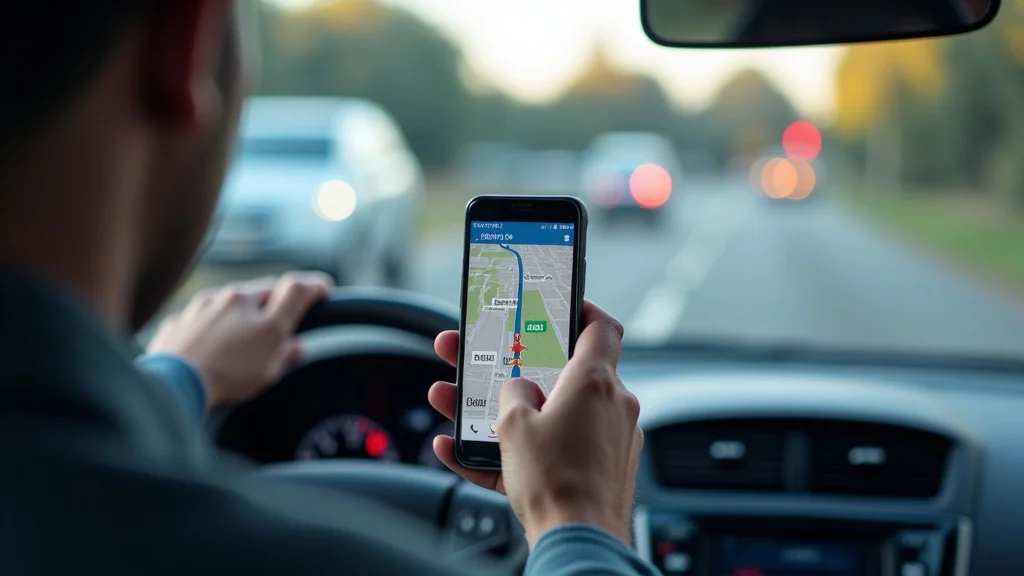
Picture this: You’re in an unfamiliar city, late for an important meeting, and completely lost. Stress levels are soaring! Thankfully, gps navigation software apps swoop in to save the day, guiding you with real-time directions and traffic updates. These apps have become essential tools for anyone who travels, whether for work or leisure. This post will explore the capabilities of gps navigation software apps, and how to choose the right one for your needs. You’ll gain a thorough insight into various features, advantages, and aspects to consider, ultimately enhancing your awareness and reducing your anxiety on the road.
Key Takeaways
- Grasp the basic functionalities and benefits of gps navigation software apps.
- Distinguish between different types of gps navigation software apps available.
- Examine the importance of maps, real-time traffic, and offline navigation.
- Examine essential features such as voice guidance, points of interest, and route customization.
- Discover how to select the best gps navigation software app for specific needs and devices.
- Identify tips for improving usability and optimizing the gps navigation software app experience.
Getting Started with GPS Navigation
The core function of a gps navigation software app is to provide directions from one location to another. These applications use the Global Positioning System (GPS), a network of satellites orbiting Earth, to determine your current position. This information is then used to locate your position on a digital map, allowing the app to calculate a route to your chosen destination. You’re no longer dependent on paper maps or asking for directions.
GPS Technology Explained
GPS, or the Global Positioning System, is a satellite-based radio-navigation system. Operated by the U.S. Department of Defense, it offers precise location and time information to a GPS receiver anywhere on or near the Earth. The system comprises three main segments: the space segment (satellites), the control segment (ground stations), and the user segment (receivers). The space segment consists of approximately 30 satellites, continuously orbiting the Earth. Each satellite transmits radio signals containing its precise location and a timestamp. GPS receivers, which are found in smartphones and dedicated navigation devices, receive these signals and measure the time it takes for them to arrive. By determining the distance from multiple satellites, the receiver can calculate its exact position.
- Satellites: A constellation of orbiting satellites transmitting signals.
- Receivers: Devices that receive and process the signals from GPS satellites to determine the user’s location.
- Triangulation: The process of determining location by measuring distance from multiple satellites.
The accuracy of GPS receivers can vary, generally within a few meters, but this can be affected by factors like atmospheric conditions, signal obstructions, and the number of satellites in view. Modern GPS systems also incorporate features like assisted GPS (A-GPS), which uses cell phone towers to supplement satellite signals, and differential GPS (DGPS), which uses ground-based reference stations to improve accuracy. GPS has become an important aspect of modern technology and offers a reliable way to find your position, track items, and receive directions. GPS has also significantly advanced fields like surveying, aviation, and environmental studies.
Essential Navigation Features
Beyond basic directions, gps navigation software apps offer a range of features designed to enhance the driving experience. These features have become standard and are constantly being developed. This allows the user to have better functionality for their journey. Features such as spoken turn-by-turn directions, real-time traffic updates, and points of interest (POIs) greatly improve usability and convenience. Other features include lane guidance, speed limit displays, and route customization.
- Turn-by-Turn Directions: Verbal and visual instructions to guide the user.
- Real-Time Traffic Updates: Information about traffic flow, accidents, and congestion.
- Points of Interest (POIs): Searchable databases of nearby businesses, landmarks, and services.
Turn-by-turn directions provide the user with clear, spoken instructions at each turn or maneuver. Real-time traffic updates use data from various sources, including GPS data from other users, to provide up-to-the-minute information on traffic conditions. Points of interest allow users to easily locate gas stations, restaurants, hotels, and other services. The integration of these essential features makes gps navigation software apps a powerful and user-friendly tool for drivers.
Mapping Data and Updates
The underlying map data is the foundation of any good gps navigation software app. These maps are compiled from several sources, including government agencies, private mapping companies, and user contributions. The quality, accuracy, and currency of the map data have a significant impact on the usefulness and reliability of the app. Inaccurate or outdated maps can result in incorrect routing, missed turns, and general dissatisfaction.
- Map Accuracy: The precision and correctness of the geographical data.
- Data Sources: Organizations and methods used to create and maintain map information.
- Update Frequency: How often the maps are updated to reflect changes in roads and points of interest.
Map accuracy is essential for a reliable navigation experience. High-quality maps should accurately represent roads, streets, landmarks, and other relevant geographical features. Most gps navigation software apps also incorporate detailed information about points of interest (POIs), such as businesses, services, and attractions. Frequent map updates are essential to accommodate changes in roads, traffic patterns, and POIs. Modern apps employ various techniques to ensure that maps are constantly updated and accurate. This can include automated map updates, crowdsourcing from users, and partnerships with mapping organizations.
Advanced Features to Explore
As gps navigation software apps have improved, they have added advanced features designed to improve the driving experience. These advanced features provide a more complete and efficient navigation experience. From route customization and voice guidance to offline capabilities and integration with other apps, these features can transform how you plan and make your journey. These features help with safety and provide a seamless experience.
Route Customization and Planning
Gps navigation software apps offer customization options, allowing users to tailor routes to their preferences and needs. This customization allows for personal preferences to be considered, such as avoiding tolls or highways, or selecting routes that are scenic. Route planning is crucial for long trips, allowing users to schedule stops and optimize routes for time or distance.
- Avoiding Tolls and Highways: The ability to configure routes that avoid toll roads and highways.
- Multiple Waypoints: Planning routes with intermediate stops along the way.
- Scenic Route Options: Selecting paths that offer beautiful views.
By customizing routes, users can avoid roads that they do not like, save time, and add variety to their journeys. Route planning tools help users plan journeys that include multiple stops, such as hotels or specific locations. Scenic route options allow users to select paths that offer amazing views or sights, improving the overall driving experience. These options help users to make their navigation experience more in line with their needs and preferences.
Voice Guidance and User Interface
Voice guidance is a vital function of most gps navigation software apps, providing spoken directions to keep the driver’s attention on the road. The interface should be easy to see and use, with clear instructions and a user-friendly layout. A well-designed user interface improves both usability and safety.
- Voice Prompts: Clear and easy-to-understand spoken directions.
- Interface Design: A user-friendly and intuitive display.
- Customization Options: The ability to personalize display and guidance settings.
Voice prompts give the user clear turn-by-turn directions, helping to reduce distractions and keep the driver safe. The interface design of the app is important to ensure it is easy to view and utilize. Customization options, such as adjusting the volume, selecting voice preferences, or choosing different map colors, allow users to modify the app to match their preferences. This makes it easier for the user to be able to use the app.
Offline Navigation and Data Usage
Offline navigation enables users to access maps and directions without an internet connection, a feature that is essential for areas with limited or no coverage. The app’s use of data should be minimized to reduce mobile data usage. This is especially important for people traveling. Offline navigation and reduced data use are important for keeping your journey convenient and cheap.
- Offline Maps: Downloading map data for use without an internet connection.
- Data Usage Management: Reducing the consumption of mobile data.
- Coverage Challenges: Functionality in areas with restricted network access.
Offline maps allow users to download map data for areas they will travel through. This enables navigation even when there is no internet connection. The app should have options to manage data usage, which can help to reduce mobile data consumption. This is good for people who want to save on their mobile data plan. Offline navigation is particularly helpful in rural areas or when traveling to locations with unreliable network coverage.
Choosing the Right GPS Navigation Software App
Choosing the right gps navigation software app is a personal decision, depending on individual needs and circumstances. The options available differ in their features, interface design, pricing models, and overall performance. Factors such as operating system compatibility, preferred features, and use circumstances all play a vital role in determining which app is best for you.
Device Compatibility and Platform
Compatibility of the app with your device is a vital consideration. Most apps are designed to function on common platforms such as iOS and Android. When choosing an app, check to ensure that it’s compatible with your device’s operating system and version. Additionally, assess the device’s screen size, processing power, and storage capacity to ensure smooth operation.
- iOS and Android: Ensuring app compatibility with your device’s operating system.
- Device Requirements: Assessing screen size, processing power, and storage capacity.
- Cross-Platform Compatibility: Apps that work on multiple devices.
Confirm that the app supports your device’s operating system version. Older or less-common devices might not be supported. Also, confirm the app’s performance on your device before downloading. Some apps may require more resources, which can impact performance. Cross-platform apps can sync your data and preferences across different devices, offering a consistent experience.
Feature Comparison and Selection
Consider the essential features you need in a gps navigation software app. Each app offers a varied set of features, so deciding what matters most to you is essential. Consider the navigation features, such as turn-by-turn directions and real-time traffic updates. Also consider route customization options like lane guidance, speed limit displays, and offline navigation.
- Essential Features: Core navigation functionality and data.
- Advanced Features: Route planning, customization, and user interface.
- User Reviews and Ratings: Understanding user experiences to assess the app’s strengths and weaknesses.
Consider essential navigation features, such as turn-by-turn directions and real-time traffic updates. Assess advanced features such as route customization and offline navigation. Before choosing an app, review its strengths and weaknesses. Take a look at user reviews and ratings to gain insight into the app’s quality. This allows you to select an app with the features you need.
Subscription Models and Cost
The pricing of gps navigation software apps varies. Some apps are free, relying on advertising or offering basic functionality. Others operate on a subscription model, providing premium features. Understand the value proposition of each pricing model and consider which one suits your usage patterns and needs.
- Free Apps: Advantages and restrictions of free options.
- Subscription Models: Benefits and cost considerations of paid apps.
- Hidden Costs: Understanding if there are additional fees or in-app purchases.
Free apps offer basic features and are a good option for people who only need basic navigation. However, they may include ads or lack some advanced features. Paid apps often offer a more detailed set of features, like offline maps, route customization, and ad-free navigation. Confirm that there are no hidden fees or in-app purchases. This helps you to make a choice that will fit your budget and navigation needs.
Improving Your GPS Navigation Software App Experience
To improve your experience, adjust your gps navigation software app settings and optimize its usage. Fine-tuning these apps helps ensure a safe, efficient, and user-friendly experience on the road. Consider optimizing your user settings and keeping your app up-to-date.
User Settings and Customization
Adjust the app settings to customize the navigation experience. This includes changing voice settings, display options, and route preferences. Personalizing the app improves its usability and makes it easier to use on a regular basis.
- Voice and Audio: Customizing voice guidance and audio alerts.
- Display Settings: Adjusting map view, color schemes, and brightness.
- Route Preferences: Setting up preferred routes, avoiding tolls, and more.
Customize voice settings, such as the voice’s language, tone, and volume, to match your preferences. Modify display settings, such as map view, color schemes, and brightness levels, to make it easier to see the information. Set route preferences to your desired needs, such as avoiding tolls or highways. Customizing these settings enhances the app’s usability and optimizes it for your unique preferences.
Keeping Your App Up-to-Date
Ensure that your gps navigation software app has the most recent version. Software updates often include improvements, new features, and security patches. Regularly updating the app ensures you have the best user experience and the most accurate map data and other functions.
- Update Frequency: How often updates are issued for the app.
- Map Updates: Maintaining the latest map data for accurate navigation.
- Benefits of Updates: Improvements in performance and features.
Check the app store regularly for updates. The latest updates can include new features, performance improvements, and fixes. Map updates ensure the app has the latest road information and points of interest. Updates provide significant benefits for performance, reliability, and functionality. Keeping your app up-to-date helps provide a better, safer, and more user-friendly experience.
Maximizing Safety and Usability
While using your gps navigation software app, prioritize safety and efficiency. This includes staying aware of your surroundings and using the app safely. Using the app can be safe and user-friendly by prioritizing safety features and reducing distractions. This can make your trips safer and more pleasant.
- Hands-Free Use: Using voice commands or device mounts.
- Reducing Distractions: Limiting interactions with the app while driving.
- Awareness and Environment: Staying alert and aware of traffic and road conditions.
Hands-free features, such as voice commands or phone mounts, are very helpful. These keep your eyes on the road. Limit your interaction with the app while driving. Stay alert and aware of traffic and road conditions at all times. By combining these habits, you can greatly improve safety.
Common Myths Debunked
Myth 1: GPS Navigation Is Always 100% Accurate
Some people believe that gps navigation software apps always give 100% accurate results. In reality, GPS accuracy can vary due to environmental factors, such as buildings and trees, and signal obstructions. These factors can sometimes cause slight errors in location data. While apps are highly accurate, they aren’t always perfect. Always cross-reference the directions with your surroundings.
Myth 2: All Free GPS Apps Are Equally Good
There’s a widespread belief that all free gps navigation software apps offer the same quality and features. Free apps may have basic functions, ads, or restricted offline capabilities. Paid apps often provide better features, accuracy, and support. Make a choice that meets your needs and expectations, while taking into account costs and features.
Myth 3: GPS Navigation Uses a Lot of Battery
Many believe that gps navigation software apps drain your phone’s battery very fast. Modern smartphones and apps are designed to optimize battery use. While continuous usage does consume power, many apps have low-power modes. It is always wise to keep your device charged, especially on extended trips. Consider using a car charger to avoid battery depletion.
Myth 4: Offline Navigation Means No Data Usage
The belief that using offline navigation completely eliminates data usage is a common misconception. While you can use the app for directions without an internet connection, you will need data to download the maps initially and for any real-time traffic updates. Download the map data over Wi-Fi, and turn off data for the app to reduce data usage while traveling.
Myth 5: All GPS Apps Have the Same Information
Some people believe all gps navigation software apps have the same information. Data sources vary between applications. One app might have more points of interest, or more detailed information. Always use the app that best suits your requirements.
Frequently Asked Questions
Question: How often are maps updated in gps navigation software apps?
Answer: Map update frequency varies by app, usually from monthly to quarterly, ensuring up-to-date data.
Question: Can I use gps navigation software apps without an internet connection?
Answer: Yes, with offline maps downloaded in advance, you can use navigation without an internet connection.
Question: Are all GPS apps compatible with both iOS and Android devices?
Answer: Most of the popular apps are, but it’s essential to check the specific app’s compatibility before downloading.
Question: Do gps navigation software apps consume a lot of battery power?
Answer: Continuous use of GPS apps consumes battery; however, modern apps are designed to optimize power usage.
Question: Are there any hidden costs with free gps navigation software apps?
Answer: While the app itself might be free, there may be advertisements or the option to purchase premium features.
Final Thoughts
Gps navigation software apps have transformed how we explore and travel, offering a convenient, reliable solution for reaching any destination. By understanding the core functions, advanced features, and device requirements, you can select the gps navigation software app that aligns with your needs. When you customize settings, keep your app updated, and prioritize safety, you can enhance your experience. Consider the advantages of the different options, while prioritizing safety and the features that matter most to you. Embrace the power of gps navigation software apps to create a smooth and stress-free experience, as you continue to explore new paths. Drive safely, and explore new places with confidence!


