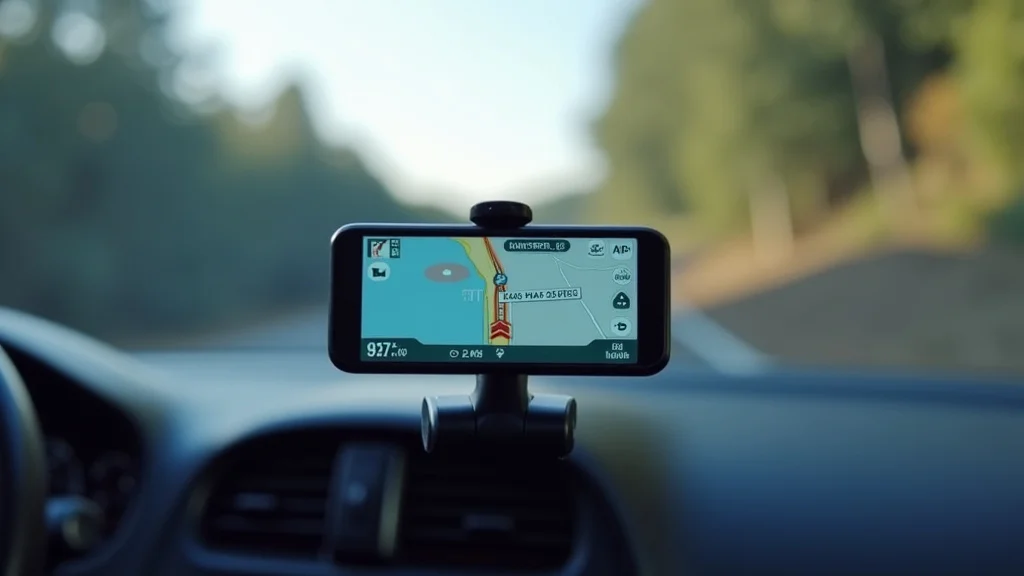
Ever gotten lost in a new city and wished you had a reliable guide? Imagine pulling out your phone, and a gps navigation software instantly provides turn-by-turn directions, helping you reach your destination with ease. From personal vehicles to delivery services, this technology has become indispensable. This blog post explores everything you need to know about gps navigation software. You’ll gain valuable insights into its functionality, benefits, and how to choose the right one for your needs. Get ready to enhance your sense of direction and simplify your travels!
Key Takeaways
- Discover the core functions and capabilities of GPS navigation apps.
- Explore the benefits of using GPS navigation software for various applications.
- Learn how GPS systems use satellites to provide accurate positioning data.
- Understand the different types of GPS navigation software available.
- Examine essential features such as offline maps and real-time traffic updates.
- Find out how to choose a suitable GPS navigation app.
Unpacking the Essentials of GPS Navigation
At its core, gps navigation software uses a combination of technologies to determine your location and provide you with directions. It’s more than just a map; it’s a dynamic system that constantly updates your position, calculates the best routes, and offers real-time information. This involves complex processes happening behind the scenes, yet the interface is usually user-friendly. We’ll investigate the primary building blocks of these systems.
How GPS Works
The Global Positioning System (GPS) itself is a network of satellites orbiting Earth. These satellites broadcast radio signals that GPS receivers, like those in your smartphone or dedicated devices, use to determine your location. The receiver calculates its distance from at least four satellites by measuring the time it takes for the signals to arrive. These time measurements, combined with the satellites’ known positions, are used to pinpoint your exact coordinates. This process allows your device to know where it is located on Earth. The accuracy of this is usually within a few meters. Many things can influence the precision, like atmospheric conditions or obstructions.
- Satellite Signals: The foundation relies on a constellation of satellites transmitting signals.
- Triangulation: GPS receivers use these signals to calculate distance from multiple satellites.
- Accuracy: The system’s precision usually enables you to know your location within meters.
In addition to the main GPS system, other satellite-based systems, such as GLONASS and Galileo, may be used. These, when combined, improve accuracy and reliability, particularly in environments where satellite signals may be blocked or weakened.
GPS Receiver Functionality
A GPS receiver is the device in your phone, car, or handheld unit that gets the signals. It decodes the data from satellites to determine location. The receiver has a sophisticated antenna and processor. The device not only tells you where you are, but also allows for navigation. It combines location data with map data to display your position and route.
- Signal Reception: Receivers use antennas to capture radio signals from GPS satellites.
- Signal Processing: The receiver processes the signals to determine distance and location.
- Data Display: Displays location data, maps, and directional guidance on screen.
Consider the process of using a GPS device for hiking. The receiver is in your hand, and it can show your progress. It helps you avoid getting lost. The same type of technology is used by cargo companies to track their shipments. Tracking ensures items arrive at their destination safely.
Navigating Through Different Types of GPS Navigation Software
Different types of gps navigation software are made for various needs. These differences are in the features and the target use. From basic smartphone apps to sophisticated systems for specialized vehicles, there is a navigation option for everyone. Understanding the differences is important for selecting the correct tool for your needs.
Smartphone Navigation Apps
Smartphone apps are a popular option for everyday navigation. Many offer free versions with basic features. They can provide turn-by-turn directions. These apps usually use the GPS receiver built into your phone to pinpoint your position. They frequently offer real-time traffic updates. The app is helpful whether you are driving, walking, or biking. These apps have map downloads, which means you can use them without an internet connection.
- Ease of Use: Designed for user-friendliness on small touchscreens.
- Real-Time Updates: Get live traffic conditions to avoid delays.
- Offline Maps: Download maps for use in areas with no internet.
For example, you are planning a road trip. A smartphone app can help you find routes, plan stops, and find gas stations and restaurants along the way. Another example is a city visitor using public transport. The app will provide maps of public transport and show arrival times.
Standalone GPS Devices
Standalone GPS devices, also called personal navigation devices (PNDs), are dedicated navigation tools. They have built-in GPS receivers. This is their primary function. These are often more accurate and reliable than smartphone apps, especially in areas with poor cellular service. Their larger screens make directions easy to see. Many include features like voice guidance and speed limit warnings.
- Dedicated Hardware: Provides greater dependability and accuracy, designed specifically for navigation.
- Larger Displays: Clearer and easier-to-read directions.
- Advanced Features: Speed warnings, lane guidance, and specialized maps.
For someone who drives for business, a dedicated GPS device is often the best choice. For instance, delivery drivers often use specialized devices with route optimization. The device keeps them on schedule. For truck drivers, these devices provide routes that consider the size and weight of their vehicles.
Vehicle-Integrated Navigation Systems
Vehicle-integrated navigation systems are built into cars, trucks, and SUVs. They link to the vehicle’s onboard systems, providing a seamless navigation experience. These systems integrate with the vehicle’s infotainment system. You can often control them using voice commands. They may include features like traffic updates and points of interest. These navigation systems are directly connected to the car’s power and often have better satellite reception because the antenna is external.
- Integrated Experience: Seamless integration with the vehicle’s dashboard and controls.
- Advanced Features: Real-time traffic data, points of interest, and voice control.
- System Updates: Maps and software can be updated by the manufacturer.
Consider a luxury car with a high-end navigation system. The system can give very detailed directions and provide advanced features. For commercial fleets, integrated systems can provide tracking and analytics. They can improve performance and track driver behavior.
Essential Features of GPS Navigation Software
Many factors come into play when selecting the right gps navigation software. Features like real-time traffic updates, offline maps, and points of interest are extremely useful. You should consider user reviews and update frequency. The quality of these elements will determine whether the navigation software meets your needs. These features will greatly improve your travel experience.
Real-Time Traffic Updates
Real-time traffic updates are a significant element of modern navigation. This uses data from various sources to show traffic conditions. These sources include reports from other vehicles and data from transportation departments. The software uses these updates to plan the most efficient route. It can reroute you if there is traffic. With real-time updates, users can avoid road closures and delays. They can often save time on their trips.
- Data Sources: Relies on data from connected devices and traffic sensors.
- Dynamic Rerouting: Adjusts routes dynamically to avoid congestion.
- Time Savings: Helps to avoid delays and save time.
Here’s an example: You are headed to an important business meeting. The software detects heavy traffic on your usual route. It then suggests an alternate route, helping you to arrive on time. For emergency services, real-time traffic information is crucial. It helps them to reach the location quickly.
Offline Maps
Offline maps allow users to use the gps navigation software even when they do not have an internet connection. This is helpful for travel. It allows people to navigate in areas without cell service. You download maps for areas you plan to visit. The maps will provide turn-by-turn directions and other information. This is useful for those who want to save on data usage or travel in rural areas. They can also use them while abroad.
- Coverage: Download maps for use in areas where you do not have a signal.
- Data Savings: Helps users to save on cellular data charges.
- Travel: Useful for travel, especially in locations with unreliable internet.
Imagine you are hiking in a national park. You have downloaded the park’s map ahead of time. You do not have to worry about losing your way. Imagine you are traveling internationally and do not want to incur expensive roaming charges. Downloading offline maps helps you to navigate the city without using data. This saves money.
Points of Interest (POIs)
Points of interest (POIs) are useful. They help you find places like gas stations, restaurants, hotels, and attractions. These places are included in the map data. The software can help you to search and find these places. POIs are essential if you are traveling to a new location. They provide information about nearby attractions. These locations are available when you plan a journey. You can use this to enhance your travel planning.
- Categories: Places like restaurants, gas stations, hotels, and attractions.
- Search Functionality: Easily find these places near your current location or along your route.
- Trip Enhancement: Helps people to find places while traveling.
Picture this: you are on a long road trip and need a place to eat. Your GPS software can locate nearby restaurants. This will show their hours and reviews. Another example: You are visiting a city for the first time. You are interested in seeing the main attractions. The navigation app will show you nearby museums, parks, or monuments.
Choosing the Right GPS Navigation Software
Selecting the correct gps navigation software involves evaluating your needs. Consider the features of the software and the type of device. The right software depends on what you are using it for. Consider the user interface. Reliability is also a key factor. By considering these variables, you can select the correct tool.
Assessing Your Needs
The first step in selecting software is to evaluate your needs. What will you use the software for? Daily commuting? Road trips? Off-road adventures? Different applications need different features. For everyday use, a smartphone app might be ideal. For long-distance travel, a dedicated GPS device with offline maps may be more appropriate. Think about what you will need.
- Usage Purpose: Consider how you will use the software.
- Key Features: Determine what features are most important to you.
- Device Compatibility: Make sure the software is compatible with your device.
Someone that often drives in the city may value real-time traffic updates. Someone that regularly takes long trips would benefit from offline maps. If you enjoy hiking, look for software that supports off-road navigation.
Evaluating Software Features
Compare the features and functions that different software packages provide. Check for real-time traffic data, offline map capabilities, and POI databases. Think about the user interface. Good software is easy to read. A user-friendly interface makes navigation easy. Remember to look at how often the maps are updated. Compare several options.
- Real-time Traffic: Evaluate the quality and accuracy of traffic data.
- Offline Capabilities: Test the map download and offline usage.
- Ease of Use: Make sure the interface is user-friendly and easy to understand.
Compare two apps: App A provides very detailed POIs, while App B offers more frequent map updates. Your choice depends on what you need. Think about speed and accuracy. Many of these apps have trial versions. Test them before buying the full version.
Considering User Reviews
User reviews can give you insight into the quality of the software. Look at the ratings and reviews for each app. Users often share their experiences. Consider any common issues. User reviews help you understand how reliable the software is. Reviews highlight the strong points of each program. You can compare different options. Read reviews to discover how well the software performs.
- Check Ratings: Look at the app ratings on the app stores.
- Read Reviews: Check what people like or dislike about each application.
- Reliability: Understand how reliable the software is, based on reviews.
Example: You are considering an app with many positive ratings. But you also see complaints about the app’s traffic updates. You should take that into consideration. If you see that multiple people complain about the software’s performance in a certain location, think about that.
| Feature | App A | App B |
|---|---|---|
| Real-Time Traffic | Good, but sometimes delayed | Excellent, very accurate |
| Offline Maps | Yes | Yes |
| User Interface | Simple, but sometimes slow | Modern, fast |
Common Myths Debunked
Myth 1: GPS Navigation Requires a Constant Internet Connection
Reality: While some features like real-time traffic updates use an internet connection, many apps offer offline map downloads. These enable you to use the navigation without an internet connection. This is helpful for travel. You can still get turn-by-turn directions. You can navigate in areas where there is no cell service.
Myth 2: GPS Navigation Drains Battery Quickly
Reality: Using GPS does consume battery. Some systems are designed to be energy efficient. You can improve battery life by adjusting the screen brightness or turning off other features. Many devices also have battery-saving modes. They will extend the time you can use it without needing to charge.
Myth 3: All GPS Software Is Equally Accurate
Reality: Accuracy varies. Some software has better algorithms and access to higher-quality map data. Accuracy depends on many things, like the quality of the GPS receiver and how often the map data is updated. Some software may also use additional sources, like cell towers, to improve location accuracy.
Myth 4: GPS Cannot Be Used in Urban Canyons
Reality: Tall buildings can affect the accuracy of the GPS signal. Modern software uses a combination of GPS, Wi-Fi, and other sensors to provide location data. This technology helps to improve navigation performance. Urban canyons are often challenging, but many systems provide reasonably good accuracy.
Myth 5: Free GPS Software Is Less Effective Than Paid Versions
Reality: Many free GPS apps provide features and accuracy comparable to paid versions. Paid apps often come with extra features or better map data. Free apps, supported by ads, can be good choices. It depends on your needs. Research the features before choosing one.
Frequently Asked Questions
Question: How often are map updates available?
Answer: Map updates vary. Many apps update maps regularly, often monthly or quarterly.
Question: Is GPS navigation safe to use while driving?
Answer: Yes, but keep your focus on the road. Set up your route before starting and use voice guidance.
Question: Can I use GPS on my phone if I do not have a data plan?
Answer: Yes, you can use offline maps and GPS functionality without a data plan.
Question: What do I do if my GPS is not working?
Answer: First, make sure GPS is enabled and you have a clear view of the sky. Then, check for any software updates.
Question: How accurate is GPS navigation?
Answer: GPS is usually accurate within a few meters. But, accuracy can vary based on conditions and the device.
Final Thoughts
GPS navigation software has become a fundamental tool. It has changed the way we travel. From everyday commuting to professional driving, this technology has made finding directions easier. We have explored the mechanics and the different software types. We highlighted essential features like real-time traffic updates, offline maps, and POIs. Knowing the different features is vital. It enables you to choose the best solution for your needs. Always consider your specific needs. Research different options. Select a solution that provides dependable navigation. You are now prepared to explore the world with confidence and efficiency. Embrace the convenience and reliability of gps navigation software for all your journeys!